

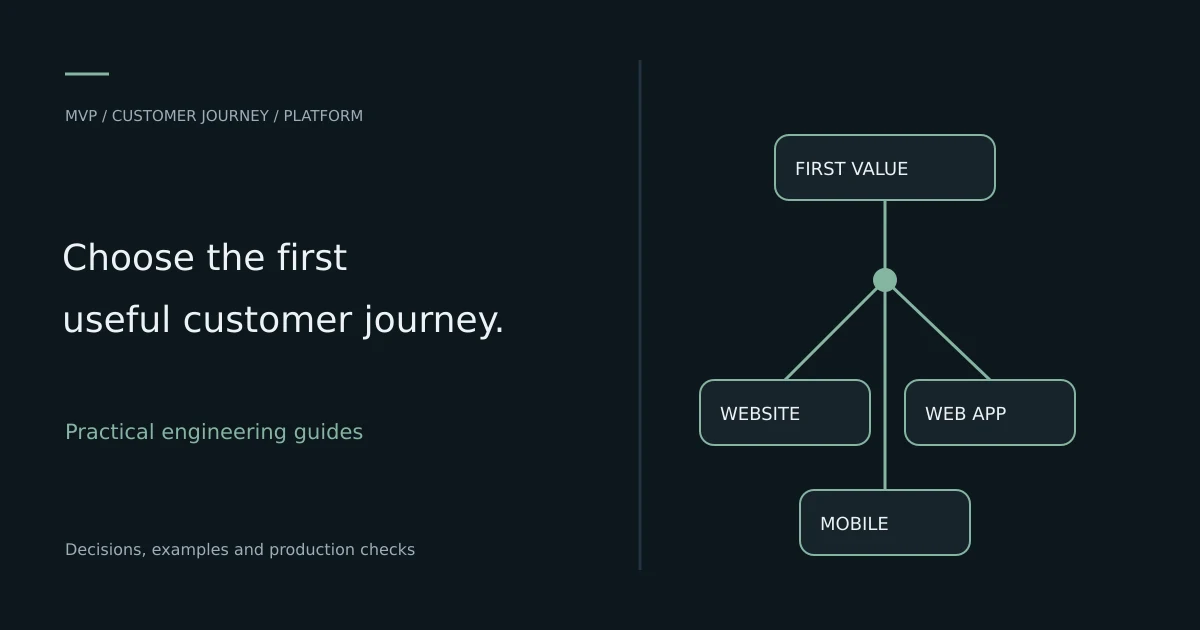
TL;DR: Build a website first when the immediate job is discovery, information or lead generation. Build a web app when users must complete a repeatable workflow in a browser. Choose a mobile app first when the product's core value depends on device capabilities, offline behavior or frequent phone-based use. Decide from the first useful customer journey and distribution plan, not from which platform sounds more impressive.
Start with the job the first version must do
Website versus app is often asked before the product's main task has been defined. A founder may need to explain a service, accept a booking, coordinate drivers or let staff approve records. Those are different jobs even if the business eventually needs all of them.
Write one concrete sentence: a specific user needs to complete a specific action under particular conditions. For example, a customer needs to discover a service and request a quote, or a driver needs to update a delivery while connectivity is unreliable. The sentence makes the platform constraints visible.
Choose the smallest complete journey that creates value. A polished marketing page cannot replace a missing operational workflow, and a mobile app cannot compensate for customers not knowing the service exists. The first release should solve a real problem and provide evidence for the next investment.
Define website, web app, PWA and mobile app
A website primarily publishes information and supports discovery or straightforward interaction. A web application emphasizes user workflows, stored state, permissions and business actions in a browser. The boundary is not a particular framework or the mere presence of a form.
A progressive web app is a web application enhanced with supported capabilities such as installation or offline behavior. The MDN PWA guide explains the model. Feature availability and behavior still depend on the browser and operating system, so test the devices your audience uses.
A mobile app is distributed through a mobile installation path and can use the relevant platform's APIs within its permissions and limitations. Native and cross-platform implementation choices have their own tradeoffs. Choosing mobile does not mean choosing a separate backend for every device.
Compare the options by user behavior
| Requirement | Website | Web app or PWA | Mobile app |
|---|---|---|---|
| Public discovery and shareable information | Natural starting point | Often still needs public pages | Usually needs a web presence too |
| Authenticated business workflow | Possible within a larger site | Common fit | Common fit for phone-centric work |
| Installation requirement | Usually none | Optional where supported | Usually part of adoption |
| Device integration | Browser-dependent | Browser and OS-dependent | Platform API and permission-dependent |
| Offline work | Limited unless designed | Requires deliberate local state and sync | Also requires deliberate local state and sync |
| Distribution | Links and search | Links, onboarding and optional installation | Store or other supported installation workflow |
Treat the table as a starting point, not an automatic score. The important question is which requirements are essential to the first customer journey. A feature that is technically possible but unreliable on the audience's devices may be an unsuitable foundation.
Also separate discovery from execution. A mobile-first delivery product can still need a website for search, support and legal information. That does not mean building the entire operational product on every platform at once.
When to build a website first
Start with a website when customers mainly need to understand the offer, check credibility and contact the business. This fits many professional services, local businesses, early validation campaigns and products collecting initial demand before custom workflows are justified.
Make the site operationally useful. Publish the actual service, clear contact path, relevant proof, ownership information and accessible forms. Track qualified enquiries and whether people understand the offer. A beautiful page with a broken form cannot validate demand reliably.
A website can include lightweight booking or payment through an appropriate integration without immediately becoming a large custom application. Choose integration deliberately and understand its fees, data ownership and limitations. Build custom workflow only when the business needs something the simpler arrangement cannot provide well.
When to build a web app first
A web app is a strong candidate when users need to log in, manage records, collaborate, approve work or perform transactions through a browser. A shared link can reduce installation friction during a pilot and make it easier to onboard users across different computers and phones.
Validate the actual workflow rather than reproducing every spreadsheet tab. Identify the primary actor, the record they create, the decision they make and the outcome that must remain correct. Permissions, validation, notifications and recovery often matter more than the number of screens.
Use responsive design and test ordinary devices early. A web app intended for field workers can fail even if its desktop dashboard looks excellent. Check connection quality, input methods, file handling and the time required to complete the core task. If those constraints dominate, reevaluate whether a mobile implementation is needed.
When a mobile app should come first
Choose mobile early when the product's defining workflow depends on capabilities and behavior that you have verified on the intended platform. Examples may include sustained field use, a tightly integrated camera flow, supported background behavior or a carefully designed offline workflow. Do not treat any of these as automatic across all devices.
Account for permission requests and user trust. A feature depending on location or notifications needs a usable outcome when permission is declined. Background behavior can be constrained by battery and operating-system policy even in a native app, so validate the actual requirement rather than assuming unrestricted execution.
Frequent use can justify installation, but frequency should be evidenced. A customer making one occasional enquiry may resist downloading an app, while an operator using the same workflow throughout the day may benefit from a dedicated experience. The distribution and retention plan should match that behavior.
Decide whether a PWA is sufficient
A PWA can be useful when a browser-delivered product needs selected installation or offline capabilities. It can also provide a practical intermediate step while the business learns how people use the service. It is not a universal substitute for every mobile API or distribution requirement.
Create a capability test on representative devices before committing. Check the precise offline actions, storage behavior, notification path and installation experience you require. A demo that works on one developer phone does not establish support for the whole customer base.
Keep a fallback where possible. If an optional capability is unavailable, the core online workflow may still work. If the capability is essential and cannot be supported reliably, that result is evidence for a mobile app rather than a reason to hide the limitation from users.
Separate the interface from the shared backend
A connected product can use one backend for web, iOS and Android while exposing different interfaces. The shared layer owns accounts, permissions, records and business rules. The interfaces adapt the workflow to their users and devices.
Do not duplicate critical validation only in a frontend. A mobile client can be outdated, a browser request can be modified and network retries can repeat a write. Enforce authorization and business invariants on the backend, with idempotency where repeated actions must not create duplicates.
A practical architecture describes public pages, authenticated interfaces, API boundaries, durable storage, background work and notifications. This makes it easier to add a second interface later without rebuilding the business model from scratch. The frontend and backend guide explains these responsibilities in more detail.
Compare total delivery cost, not just the first screen
Include design, implementation, backend work, testing, deployment, analytics, maintenance and support. A low-cost first interface can still require substantial work to make data correct and operations reliable. Conversely, a simple public site may not need a custom backend at all.
Mobile distribution can add account setup, signing, store materials, review and release management. Web delivery has its own domain, hosting, browser compatibility and security work. A shared codebase can reduce duplication, but it does not eliminate platform-specific testing or user-experience decisions.
| Cost driver | Why it changes the estimate | What to define before quoting |
|---|---|---|
| Business rules | Complex state transitions need careful design | Core actions, roles and exceptions |
| Integrations | External systems create failure and reconciliation work | Provider, data flow and ownership |
| Offline support | Local state and conflict handling require architecture | Offline actions and sync policy |
| Payments | Correctness, security and callbacks matter | Products, refunds and transaction flow |
| Multiple interfaces | Shared logic still needs platform testing | Which actors need which interface now |
| Operations | Launch requires recovery and support | Hosting, backups, alerts and owner |
Use the existing pricing page for SoftwareCrafting's entry points and a scoped proposal for the actual product. Do not multiply a generic per-screen number and assume it accounts for payment reconciliation or offline conflict resolution.
Understand store fees and release work separately
Platform-account charges are different from development and deployment service fees. Apple's enrollment documentation lists the standard Developer Program membership at US$99 annually or local pricing where available. Google's Play Console setup guide lists a US$25 one-time registration fee. Check eligibility, regional terms and the actual enrollment flow.
Those charges do not build the application, fix review issues or prepare its privacy disclosures and store assets. Plan who owns the developer accounts and signing access. The business should be able to maintain and release the app after the initial delivery team changes.
SoftwareCrafting's store deployment service can help with release preparation and handover. Keep that work separate from the decision about whether installation is necessary for the first customer journey.
Use a requirement scorecard with explicit assumptions
List the essential requirements and score each option against evidence, not preference. Use simple categories such as supported, needs a test and unsuitable. Mark uncertainty honestly instead of assigning a reassuring numeric score without a working prototype.
For a booking service, requirements might include search discovery, a short checkout, operator scheduling and customer notifications. A responsive web app may satisfy the first release. For a field operation, offline capture and a verified device integration may change the answer.
Record why each uncertain requirement matters and how you will test it. This turns platform selection into a short research exercise with an outcome. Revisit the scorecard when user behavior or operating requirements change rather than treating the first platform choice as permanent doctrine.
Design a pilot that tests the riskiest assumption
Identify the assumption most likely to make the product fail. It may be demand, willingness to pay, a difficult integration, offline behavior or the ability of operators to adopt a new workflow. Build the smallest pilot that can produce useful evidence about that assumption.
For a demand question, a clear website and a manually supported service may be enough initially. For a device-capability question, a small technical prototype is more useful than a complete marketing site. For a complex approval workflow, test the sequence with a few real users and representative records.
Define success before observing the result. Examples include users completing the task without help, a measured reduction in processing time or a verified capability across the target devices. Avoid equating downloads, page views or a polished demo with proof of a sustainable product.
Plan analytics around meaningful actions
Track the steps that connect discovery to value: a qualified enquiry, completed booking, approved record or successful delivery update. Include failure and abandonment points that help explain why the journey stops. A large event list is not automatically a useful measurement plan.
Use consistent event definitions across interfaces when they represent the same business action. Distinguish an attempt from a completed server-side outcome. A button click does not prove that payment, record creation or notification succeeded.
Treat small samples carefully. A pilot can reveal usability problems and technical failures without providing stable conversion estimates. Use analytics alongside user observation and support feedback. Avoid choosing a platform solely because a handful of early visitors spent more time on one prototype.
Avoid building every interface at once
A customer app, driver app, admin portal and public website can all be necessary for a mature operation. They do not automatically belong in the first release. Sequence interfaces according to which actor must perform the next essential task.
Preserve a coherent backend and manual operating path during the sequence. An internal team may initially manage work through a simple portal while customer self-service is introduced later. That can reduce simultaneous implementation without making the product impossible to operate.
When several interfaces are essential from day one, scope them around a narrow end-to-end workflow rather than building every possible feature in each. The Driftload case study illustrates a connected product context; use actual requirements to decide which pieces your own first release needs.
Prepare production operations for the chosen platform
Every platform needs ownership, support and recovery. A website needs working forms, HTTPS and deployment records. A web app adds accounts, data integrity and business workflows. A mobile product also needs signing, distribution, platform compatibility and a release process users can actually receive.
Define how backups are restored, credentials are recovered and incidents are diagnosed. Keep the source repository, accounts and operations records under the intended business ownership. A successful demonstration is not a complete handover if only one contractor knows how to release a fix.
Test the production-like journey before collecting important customer data. Include permission denial, interrupted requests, retries and failed dependencies where relevant. Make the operating plan part of acceptance rather than discovering the missing pieces after launch.
Choose the next platform from observed constraints
Add a second interface when evidence shows that the current one limits value. Frequent phone users may justify a dedicated app; operators struggling with dense mobile forms may need a desktop portal. A product that began with an app may need public web pages to improve discovery and support.
Keep business rules and data contracts stable where possible while adapting the interface. Reuse the backend thoughtfully rather than exposing an internal endpoint without appropriate authorization or versioning. Plan compatibility with older mobile clients that may not update immediately.
A platform expansion should have its own acceptance criteria and operating cost. The goal is to remove a demonstrated constraint, not to collect more icons on a technology diagram. Compare the expected user benefit against the additional release and support work.
MVP decision checklist and next steps
- Define one user and one complete valuable journey.
- Separate discovery needs from operational workflow needs.
- Verify essential browser or device capabilities on actual target devices.
- Compare website, web app, PWA and mobile against explicit requirements.
- Include backend correctness, testing, release and maintenance in the estimate.
- Pilot the riskiest assumption with a defined success criterion.
- Keep ownership, recovery and measurement in the launch plan.
- Add more interfaces when evidence justifies them.
SoftwareCrafting's web development service and React Native development support different delivery paths. Share your product brief with the first user journey, target devices and the assumption you need to test. The right first platform is the one that can validate and deliver that value with a manageable operating model.
Frequently Asked Questions
Should I build a website or app first?
Build a website first for discovery and enquiries, a web app for browser-based workflows, and a mobile app when essential device behavior or phone-centric use justifies installation. Start from the first useful customer journey.
Is it easier to build a website than an app?
A simple information site is usually a smaller scope than a custom product, but labels alone are misleading. A complex transactional web app can require more work than a narrowly scoped mobile application.
Can a web app work on mobile phones?
Yes, with responsive design and appropriate browser support. Test the actual workflow on representative devices, including input, connectivity, file handling and any required capabilities.
Is a PWA the same as a native mobile app?
No. A PWA uses the web platform with supported enhancements. Capabilities and distribution differ across browsers and operating systems, so verify essential requirements rather than assuming equivalence.
Can web and mobile share one backend?
Yes. Shared accounts, records and business rules can serve different interfaces. Keep authorization and correctness on the backend, and design compatibility for clients that may update at different times.