
TL;DR: Choose React Native when your team already knows React and TypeScript, needs strong native module access, or shares web engineering skills. Choose Flutter when consistent custom UI, a single rendering model, or a Dart-first team is more important. Both can ship production apps. Team fit and product requirements matter more than benchmark claims.
React Native and Flutter solve the same problem differently
Both frameworks let a team build iOS and Android applications from a shared codebase. The important difference is how they connect application code to the platform.
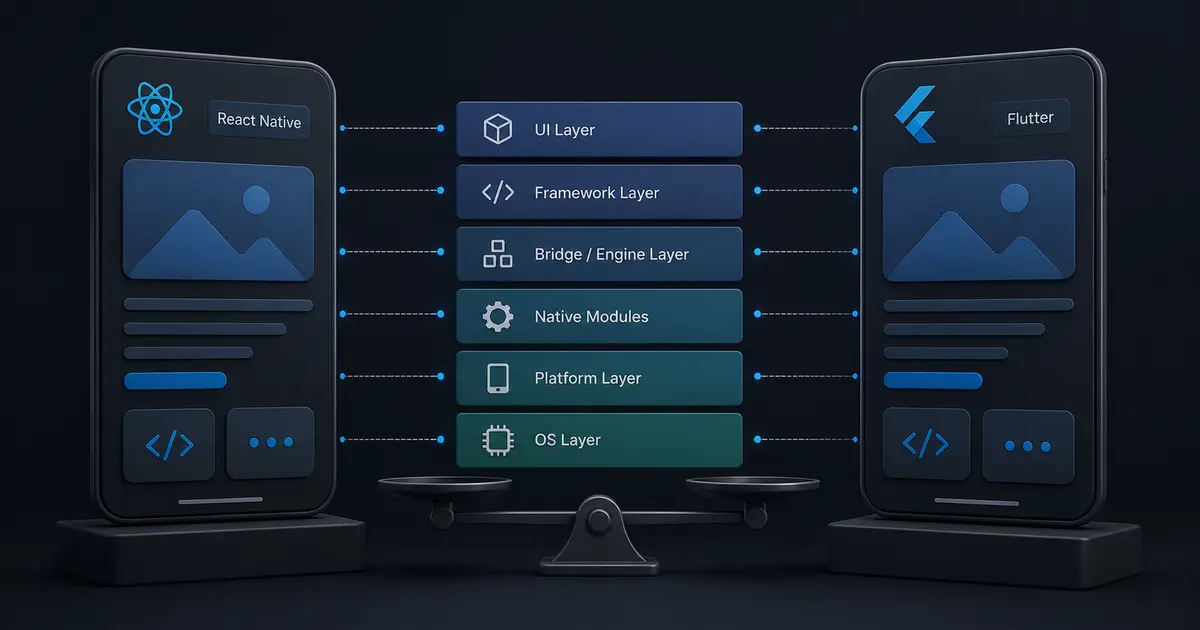
React Native uses JavaScript or TypeScript with React concepts and renders through native platform components, supported by its modern architecture and native modules. Flutter uses Dart and its own widget and rendering system to provide highly consistent UI across platforms.
This means the choice affects UI behavior, access to native APIs, hiring, build tooling, testing, release workflows, and the skills required to debug production failures.
Quick comparison
| Decision factor | React Native | Flutter |
|---|---|---|
| Primary language | JavaScript or TypeScript | Dart |
| UI approach | React components mapped to platform behavior | Flutter widget and rendering system |
| Best team fit | Existing React and web teams | Teams comfortable adopting Dart and Flutter widgets |
| Native integration | Strong ecosystem and direct native escape hatches | Strong platform channels and plugins |
| UI consistency | Can follow platform conventions naturally | Excellent control over cross-platform appearance |
| Web code sharing | Often practical with React-based teams | Possible, but usually a separate design decision |
| Typical risk | Dependency and native build complexity | Larger platform-specific rendering and plugin decisions |
The table is a starting point. A camera-heavy field app, a high-fidelity consumer interface, and an internal business workflow may reach different conclusions.
Choose React Native when the team is already a React team
React Native is a strong choice when the product organization already uses React, TypeScript, and JavaScript for web applications. Developers can reuse familiar component patterns, validation libraries, API clients, state concepts, and testing practices. A shared monorepo can also contain web and mobile packages, although platform-specific UI should remain explicit.
It is especially attractive for apps that need frequent native integrations, business forms, feeds, payments, authentication, push notifications, and shared product logic. Expo can simplify builds and distribution, while native projects remain available when a feature needs custom configuration.
React Native is not “write once and never think about platforms.” You still need to understand iOS and Android build systems, permissions, background behavior, app lifecycle, and native modules. Our guide to React Native app development cost in India explains how these requirements affect scope.
Choose Flutter when UI control and consistency dominate
Flutter is compelling when the visual language must be highly consistent across platforms or when the product has custom graphics, branded interaction patterns, kiosks, or embedded workflows. The widget model gives the team a unified way to compose and style the interface.
Flutter can also be a good fit for a new mobile team that is willing to standardize on Dart. The tradeoff is that hiring and existing code reuse may be less favorable for an organization whose strongest skills are TypeScript and React. Plugins and platform channels need to be evaluated for the exact devices and OS versions you support.
Performance is a system property
Both frameworks can deliver responsive applications. Perceived performance usually depends on list virtualization, image handling, startup work, network behavior, memory management, and the amount of JavaScript or Dart work performed on the UI thread.
Measure the product flows that matter:
- cold and warm startup time,
- scroll frame stability on low-end devices,
- time to interactive after login,
- offline queue behavior,
- memory use during media or document workflows,
- binary size and update download time.
Do not choose based on a single synthetic benchmark. Profile a representative screen with production-like data and release builds. React Native teams should understand the current architecture, while Flutter teams should profile widget rebuilds, asset loading, and platform calls.
Native features and platform risk
Make a list of native requirements before selecting a framework: camera, Bluetooth, background location, health data, payments, biometrics, widgets, deep links, push notifications, offline storage, and device management. For each feature, check plugin maintenance, iOS and Android support, required permissions, and whether you can debug the native implementation.
Avoid adding a plugin because it is popular without checking its release history and native dependencies. A small proof of concept should exercise the riskiest integration before the team commits to the entire stack.
Architecture for long-term maintainability
Organize code by product capability rather than by a single global folder for screens, services, and models. Keep domain logic independent from navigation and UI. Define API contracts and map network DTOs into domain types at the boundary.
For either framework, use:
- feature-level modules,
- typed API clients,
- a clear state ownership rule,
- dependency injection for testability,
- an offline queue where the workflow requires it,
- analytics events with stable names,
- platform adapters for native behavior.
The framework cannot compensate for an unclear domain model. The same advice applies to the feature-first architecture guide.
Testing and release operations
Test business rules without a device, then add component or widget tests for key states. Use real devices for permissions, camera, push notifications, background tasks, deep links, keyboard behavior, and OS upgrades. Automated tests should cover offline and slow-network states, not only the happy path.
Plan release signing, environment configuration, crash reporting, staged rollout, and rollback before launch. Mobile releases have review and distribution constraints, so a CI pipeline that produces reproducible artifacts is part of the product architecture.
Cost and team considerations
The lowest development cost is not always the lowest ownership cost. Consider the existing talent pool, the number of native specialists you can access, expected feature cadence, design complexity, testing devices, and how many platform-specific integrations you need.
React Native may reduce ramp-up cost for a React organization. Flutter may reduce UI coordination cost for a team that values one rendering model. Both costs rise when the product needs advanced background execution, custom native SDKs, or device-specific behavior.
Common mistakes
- Choosing from benchmark charts instead of testing the riskiest product flow.
- Treating cross-platform as zero native engineering.
- Ignoring plugin maintenance and OS release compatibility.
- Sharing too much code between web and mobile until the UX becomes awkward.
- Delaying release automation and crash reporting.
- Measuring performance only on the newest developer device.
Decision checklist
- The team has identified its strongest existing language and UI skills.
- Native features have been tested with a small proof of concept.
- Low-end device performance and startup are measured.
- Offline, permissions, deep links, and background behavior are specified.
- Plugin and dependency maintenance risk is understood.
- CI, signing, staged rollout, and crash reporting are planned.
- The architecture keeps domain logic independent from UI framework details.
Conclusion
React Native and Flutter are both viable choices in 2026. React Native usually has the shortest path for teams already invested in React and TypeScript. Flutter is often attractive when a unified widget system and precise visual control are central to the product. SoftwareCrafting’s React Native mobile app development service and Flutter mobile app development service can help evaluate the product constraints and build the right delivery plan.
Compare the developer experience honestly
The first month can hide the cost of the next three years. Compare debugging, native build errors, dependency upgrades, automated testing, release signing, crash reports, and the ability to hire someone who can fix a platform issue. Run the same proof of concept in both stacks: authenticated navigation, a paginated list, image upload, offline retry, push notifications, and one native capability. Record setup time, platform-specific code, test effort, release friction, and low-end device performance.
Data boundaries and offline behavior
Keep API clients, validation, caching, synchronization, and business rules in testable modules. A mobile application is a distributed client, so it must handle stale data, partial writes, retries, and account changes. If field users work offline, define which actions are allowed, how changes are queued, and how conflicts are resolved. Last-write-wins may be acceptable for a draft note but unsafe for inventory or financial data.
Accessibility and release economics
Test screen readers, focus order, dynamic text size, contrast, reduced motion, touch targets, keyboard behavior, and platform-specific back navigation in the proof of concept. Budget for OS releases, SDK changes, native dependency updates, store policy changes, crash triage, test devices, and emergency hotfixes. Use staged rollouts, feature flags, reproducible signing, and a disable path for risky features.
Choose the framework that minimizes risk for the product’s hardest requirement, not the one with the most attractive demo. A React and TypeScript organization may reduce risk with React Native, while a custom visual system and a dedicated Dart team may favor Flutter.