

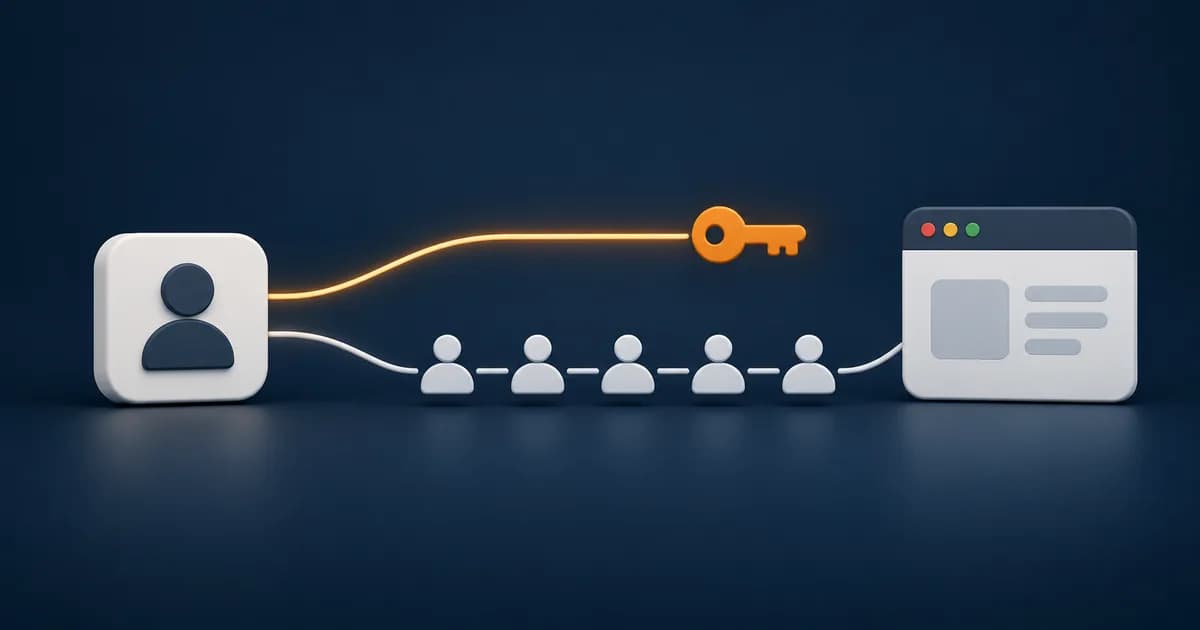
TL;DR: SAML and SCIM solve different problems. SAML answers "who is this person signing in right now?" by passing a signed assertion from the customer's identity provider to your app. SCIM answers "which people should have an account, and what do they look like?" by letting the identity provider create, update and deactivate accounts in your app through a REST API. SAML alone cannot remove a user who has left the company. SCIM alone cannot sign anyone in. Most B2B SaaS products add SAML first, then SCIM when customers start asking for automatic offboarding.
Key takeaways
- SAML is authentication. It runs at sign-in time, in the browser, using signed XML assertions.
- SCIM is provisioning. It runs in the background, server to server, using JSON over HTTPS.
- They are complementary, not competitors. Enterprise identity teams usually expect both, configured from the same identity provider such as Okta or Microsoft Entra ID.
- Deprovisioning is the real reason SCIM exists. Without it, a former employee's account stays active in your app until someone notices.
- Just-in-time (JIT) provisioning is a halfway house. It creates users on first SAML sign-in but never removes them.
Why this comparison matters for B2B SaaS
The question usually arrives in a sales call. A prospect's IT or security team sends a vendor questionnaire with two lines: "Do you support SSO via SAML 2.0?" and "Do you support SCIM 2.0 provisioning?" If the answer to either is no, the deal slows down or moves to a competitor. Larger companies run hundreds of applications, and they cannot manually add and remove people in each one. They manage identity in one place and expect every vendor to follow it.
It is easy to treat the two acronyms as the same feature, because both are configured in the same identity provider screen and both appear under the "enterprise" plan on most pricing pages. They are not the same. Building only one of them, or building one while calling it the other, causes real problems: duplicate accounts, users who cannot sign in, and, worst of all, ex-employees who keep access to customer data.
This guide explains each protocol from first principles, shows the data that actually moves, and gives you a practical order for implementing them in a Node.js product. If you want the deeper end-to-end build, our SAML SSO and SCIM architecture guide covers the full implementation. This article focuses on the decision: what each one does, how they differ, and when you need both.
Terminology you need first
A few terms appear throughout. Getting them straight removes most of the confusion.
Identity provider (IdP). The system where the customer manages its people, such as Okta, Microsoft Entra ID (formerly Azure AD), Google Workspace, OneLogin or JumpCloud. The IdP is the source of truth for who works at the company.
Service provider (SP). Your application. In SAML language, your app is the service provider that relies on the IdP to vouch for users.
Assertion. A signed XML document the IdP sends to your app during SAML sign-in. It says who the user is and when the statement is valid.
Assertion Consumer Service (ACS) URL. The endpoint in your app that receives the SAML response from the browser.
SCIM endpoint. The base URL of your SCIM API, for example https://app.example.com/scim/v2, which the IdP calls to manage users and groups.
Provisioning and deprovisioning. Creating an account when someone joins or is assigned to your app, and disabling or deleting it when they leave or are unassigned.
Tenant. One customer organization in your product. Both SAML configuration and SCIM tokens are always scoped to a tenant.
What SAML does: signing users in
SAML 2.0 (Security Assertion Markup Language) is an OASIS standard from 2005. It is old, verbose and XML based, and it is still the protocol most enterprise IT teams reach for first, because every serious identity provider supports it and their security policies are written around it.
A typical service-provider-initiated sign-in works like this:
- The user visits your app and enters a work email, or clicks "Sign in with SSO".
- Your app looks up the tenant from the email domain and builds a SAML authentication request.
- The browser is redirected to the customer's IdP with that request.
- The IdP signs the user in, using its own password policy, MFA and device checks.
- The IdP posts a signed SAML response back through the browser to your ACS URL.
- Your app validates the signature, the audience, the time window and the request ID, then creates a session.
There is also IdP-initiated sign-in, where the user starts from a tile in the Okta or Entra dashboard and arrives at your ACS URL without your app having asked. It is convenient for users, but it is more exposed to replay and injection, because there is no request ID to match. Support it only if customers require it, and apply the same validation.
The important point is when SAML runs: only at sign-in. Between sign-ins, your app never hears from the IdP. If the company disables a user in Okta at 10:00, SAML has no way to tell you. The user simply fails their next SAML sign-in, but any session they already have in your app keeps working until it expires.
Validating a SAML response in Node.js
Never parse SAML XML by hand. Signature wrapping attacks have broken hand-rolled validators many times. Use a maintained library and configure it strictly. Here is a minimal setup with @node-saml/node-saml:
import { SAML } from '@node-saml/node-saml';

// One SAML instance per tenant: each customer has its own IdP certificate and URLs.
export function samlForTenant(tenant: { id: string; idpEntryPoint: string; idpCert: string }) {
  return new SAML({
    issuer: `https://app.example.com/saml/${tenant.id}/metadata`,
    callbackUrl: `https://app.example.com/saml/${tenant.id}/acs`,
    entryPoint: tenant.idpEntryPoint,
    idpCert: tenant.idpCert, // the customer's signing certificate
    audience: `https://app.example.com/saml/${tenant.id}/metadata`,
    wantAssertionsSigned: true, // reject unsigned assertions
    wantAuthnResponseSigned: true,
    acceptedClockSkewMs: 2 * 60 * 1000, // tolerate small clock drift only
    validateInResponseTo: 'always', // match responses to requests we sent
    requestIdExpirationPeriodMs: 10 * 60 * 1000,
  });
}

// ACS handler: validate, then map the profile to a user in this tenant only.
export async function handleAcs(tenantId: string, body: Record<string, string>) {
  const tenant = await loadTenant(tenantId);
  const { profile } = await samlForTenant(tenant).validatePostResponseAsync(body);
  if (!profile?.nameID) throw new Error('SAML response has no NameID');

  const user = await findUserByExternalId(tenant.id, profile.nameID);
  if (!user || !user.active) throw new Error('User is not provisioned or is deactivated');
  return createSession(user);
}
Notice the last check. With SCIM in place, the ACS handler refuses users who were never provisioned or who were deactivated. That single line is where the two protocols meet.
What SCIM does: managing accounts
SCIM 2.0 (System for Cross-domain Identity Management) is defined in three IETF documents from 2015: RFC 7642 for concepts, RFC 7643 for the core schema, and RFC 7644 for the protocol. It is a REST API with a standard shape. Your app exposes endpoints, and the IdP calls them whenever something changes.
The core operations map to everyday HR events:
- A new hire is assigned to your app: the IdP sends
POST /Users. - Someone changes name, title or department: the IdP sends
PATCH /Users/{id}orPUT /Users/{id}. - Someone is unassigned or leaves: the IdP sends a
PATCHsettingactivetofalse, and sometimes aDELETE. - Group membership changes: the IdP calls
/Groupsendpoints so you can map groups to roles. - The IdP checks for existing users before creating: it sends
GET /Users?filter=userName eq "...".
SCIM runs continuously and server to server. The user is not involved and no browser is present. The IdP authenticates to your API, almost always with a long-lived bearer token that the customer's admin copies from your settings page into the IdP.
What a SCIM user looks like
Every SCIM request and response uses JSON with schema URNs. A user created by an IdP typically looks like this:
{
  "schemas": ["urn:ietf:params:scim:schemas:core:2.0:User"],
  "externalId": "00u1abcd2EFGH3ijk4l5",
  "userName": "[email protected]",
  "name": { "givenName": "Priya", "familyName": "Sharma" },
  "emails": [{ "value": "[email protected]", "type": "work", "primary": true }],
  "title": "Finance Manager",
  "active": true,
  "groups": []
}
Your response must return the same resource with your own id and a meta block. The IdP stores your id and uses it for every later call. Store the IdP's externalId too, and link it to the SAML NameID so sign-in and provisioning resolve to the same record.
SCIM vs SAML side by side
| Question | SAML 2.0 | SCIM 2.0 |
|---|---|---|
| Problem solved | Authentication (signing in) | Provisioning (account lifecycle) |
| When it runs | At each sign-in | Whenever the IdP sees a change |
| Who starts it | The user, through the browser | The IdP, server to server |
| Data format | Signed XML assertion | JSON over HTTPS (REST) |
| Your app exposes | ACS URL and SP metadata | /Users, /Groups and discovery endpoints |
| Credentials | IdP signing certificate | Bearer token per tenant |
| Can create users | Only with JIT provisioning | Yes |
| Can remove or disable users | No | Yes, by setting active to false |
| Keeps profiles up to date | Only at next sign-in | Yes, near real time |
| Standard | OASIS, 2005 | IETF RFC 7642, 7643, 7644 (2015) |
The table shows why buyers ask for both. SAML gives them central control of how people sign in, including MFA. SCIM gives them central control of who has an account at all.
Where JIT provisioning fits, and where it falls short
Just-in-time provisioning means creating a user the first time a valid SAML assertion arrives for someone you have not seen before. You read the email and name attributes from the assertion and create the account on the spot. Many teams ship JIT first, because it requires no extra API and removes the manual "invite user" step.
JIT is a reasonable starting point, but it has three gaps that SCIM fills:
- It never removes anyone. A user deleted in the IdP stops being able to sign in, but their account, data ownership and any API keys stay active in your app.
- It only updates on sign-in. If someone changes department, your app learns about it only when they next sign in, which might be weeks later.
- It cannot pre-create accounts. Admins cannot assign work, share documents or set permissions for someone who has not signed in yet.
For small customers, JIT may be enough. For any customer with a security team, plan on SCIM.
The deprovisioning gap, explained with a real scenario
Consider a finance manager who leaves a customer on a Friday. IT disables her in Entra ID at 17:00. Here is what happens in each setup.
SAML only. Her next SAML sign-in fails. But she signed in to your app that morning, and your session lasts 7 days. She can still open the app from her personal laptop until next Friday. Any personal API tokens she created keep working indefinitely. Her account still counts as a paid seat, so the customer pays for a person who has left.
SAML plus SCIM. Within minutes, Entra ID sends a PATCH with active: false. Your app marks the user inactive, revokes all sessions and API tokens, and frees the seat. Her next request fails immediately.
This is the gap auditors care about. SOC 2 and ISO 27001 controls require timely removal of access when people leave, and customers pass that requirement to their vendors. Our post on tamper-proof audit logs for SOC 2 covers how to record these events so you can prove they happened.
Implementing a SCIM endpoint in Node.js
A useful SCIM implementation is smaller than it looks. Start with users, then add groups. Here is the heart of an Express-based handler for deactivation, which is the operation that matters most:
import express from 'express';

const scim = express.Router();
scim.use(express.json({ type: ['application/json', 'application/scim+json'] }));

// Every SCIM request carries a per-tenant bearer token; resolve the tenant from it.
scim.use(async (req, res, next) => {
  const token = req.header('authorization')?.replace(/^Bearer\s+/i, '');
  const tenant = token ? await findTenantByScimTokenHash(sha256(token)) : null;
  if (!tenant) return res.status(401).json(scimError(401, 'Invalid token'));
  res.locals.tenant = tenant;
  next();
});

scim.patch('/Users/:id', async (req, res) => {
  const user = await findUser(res.locals.tenant.id, req.params.id);
  if (!user) return res.status(404).json(scimError(404, 'User not found'));

  for (const op of req.body.Operations ?? []) {
    // IdPs differ: Entra ID may send "Replace", others "replace", and some put
    // the attribute in the value object instead of the path. Normalize both.
    const kind = String(op.op).toLowerCase();
    const changes = op.path ? { [op.path]: op.value } : op.value;
    if (kind === 'replace' && changes && 'active' in changes) {
      const active =
        changes.active === true || changes.active === 'True' || changes.active === 'true';
      await setUserActive(user.id, active);
      if (!active) await revokeSessionsAndTokens(user.id); // the point of SCIM
    }
  }

  res.json(toScimUser(await findUser(res.locals.tenant.id, user.id)));
});

function scimError(status: number, detail: string) {
  return {
    schemas: ['urn:ietf:params:scim:api:messages:2.0:Error'],
    status: String(status),
    detail,
  };
}
Three details in this snippet save hours of debugging. The token is stored as a hash, so a database leak does not expose working credentials. The op value is compared case-insensitively, because identity providers do not agree on case. And active is parsed defensively, because some providers have sent booleans as strings.
Supporting the lookup filter
Before creating a user, most IdPs check whether one already exists. You do not need a full SCIM filter parser on day one, but you must support the userName eq form:
scim.get('/Users', async (req, res) => {
  const tenantId = res.locals.tenant.id;
  const filter = String(req.query.filter ?? '');
  const match = filter.match(/^userName eq "([^"]+)"$/i);

  const users = match
    ? await findUsersByUserName(tenantId, match[1].toLowerCase())
    : await listUsers(tenantId, Number(req.query.startIndex ?? 1), Number(req.query.count ?? 100));

  res.json({
    schemas: ['urn:ietf:params:scim:api:messages:2.0:ListResponse'],
    totalResults: users.length,
    startIndex: 1,
    itemsPerPage: users.length,
    Resources: users.map(toScimUser),
  });
});
Return an empty Resources array, not a 404, when nothing matches. Several IdPs treat a 404 on this call as a failure and stop provisioning.
Linking identities: the data model
The most common bug in combined SAML and SCIM setups is two records for one person: one created by SCIM, another created by JIT at first sign-in because the identifiers did not match. Avoid it with one table that links external identities to your users:
CREATE TABLE identity_links (
  tenant_id     uuid        NOT NULL REFERENCES tenants(id),
  user_id       uuid        NOT NULL REFERENCES users(id),
  scim_id       text,                 -- the IdP's externalId from SCIM
  saml_name_id  text,                 -- the NameID from SAML assertions
  user_name     text        NOT NULL, -- lowercased work email
  active        boolean     NOT NULL DEFAULT true,
  updated_at    timestamptz NOT NULL DEFAULT now(),
  PRIMARY KEY (tenant_id, user_id),
  UNIQUE (tenant_id, scim_id),
  UNIQUE (tenant_id, saml_name_id),
  UNIQUE (tenant_id, user_name)
);
Agree on one stable identifier with each customer. Email works for most, but people change names and emails. An immutable IdP object ID, sent both as the SCIM externalId and as the SAML NameID, is more reliable. Every lookup is scoped by tenant_id, so the same email in two customer organizations never collides. If you are designing tenant isolation from scratch, our multi-tenant Next.js SaaS guide covers the wider model.
When you need SAML, SCIM or both
Not every customer needs everything on day one. This table reflects how requirements usually grow:
| Customer profile | What they ask for | What to offer |
|---|---|---|
| Startup or small team, under 50 people | Google or Microsoft sign-in | OAuth social sign-in, no SAML yet |
| Mid-size company with an IT admin | "Do you support SSO?" | SAML or OIDC SSO, optional JIT |
| Company with a security team or SOC 2 | SSO plus automatic offboarding | SAML plus SCIM users |
| Large enterprise with role mapping | SSO, offboarding, group-based roles | SAML plus SCIM users and groups |
| Regulated industry (finance, health) | All of the above plus audit evidence | SAML, SCIM, audit logs, session controls |
A practical rule: build SAML when the first customer asks, and build SCIM when the first customer's security review asks about offboarding. If both requests arrive together, build them together, because the identity link table and the deactivation logic are shared.
Should you use OIDC instead of SAML?
OpenID Connect is a modern alternative for the sign-in half. It uses JSON and JWTs instead of XML and is easier to implement. Many identity providers support both. Offer OIDC if your customers accept it, but expect enterprises to still ask for SAML, because their policies and tooling are built around it. OIDC does not replace SCIM either. It is an authentication protocol, so the provisioning question remains. Our OAuth 2.0 and OIDC production guide covers that path.
Build or buy?
Identity platforms such as WorkOS, Auth0, Clerk and Stytch provide SAML and SCIM as a service and normalize the provider differences for you. Buying is usually right when you need enterprise readiness quickly and your team is small. Building is reasonable when you need full control of the data model, have strict data residency rules, or the per-connection pricing gets expensive at scale. We compare these options in buy vs build for B2B authentication.
If you would rather hand this work to a team that has shipped it before, our authentication and security services cover SAML, SCIM, OIDC and audit logging for B2B products.
Security considerations
Both protocols move identity data across organizations, so mistakes become security incidents.
For SAML:
- Require signed assertions, and preferably signed responses. Reject anything unsigned.
- Validate the audience, recipient, destination and
NotOnOrAftertime on every response. - Use
InResponseTovalidation for service-provider-initiated flows to block replay. - Keep a short cache of seen assertion IDs, so the same assertion cannot be posted twice.
- Store each tenant's IdP certificate separately, and support rotation with two certificates during a changeover.
- Never let a SAML response for tenant A sign someone in to tenant B. Resolve the tenant from the ACS URL, not from data inside the assertion.
For SCIM:
- Generate a long random token per tenant, show it once, and store only its hash.
- Let admins rotate the token without downtime.
- Rate limit the endpoint, and log every change with the tenant, the operation and the before and after state.
- Treat SCIM input as untrusted. Validate lengths and formats, because a compromised IdP admin account can send anything.
- Decide what "delete" means. Most products should deactivate and keep data for the customer's retention period, rather than destroy records immediately.
Testing with real identity providers
Unit tests catch logic errors, but the protocol quirks only appear with real IdPs. Set up free developer tenants with Okta and Microsoft Entra ID, and test the full lifecycle in each: create, update name, add to group, remove from group, deactivate, reactivate and delete.
Okta publishes a SCIM test suite you can run against your endpoint, and Microsoft provides a validator in the Entra ID provisioning documentation. Both catch common mistakes such as wrong content types, missing meta fields and 404s on filter queries. Run the suites in CI against a staging tenant before every release that touches identity code.
For SAML, keep fixture assertions from each provider in your test suite, including expired, unsigned and wrong-audience variants, and assert that each one is rejected. Our testing and QA services team can set up this kind of integration testing if your team is short on time.
Common mistakes and failure modes
These are the issues that show up most often in customer onboarding calls:
- Treating SAML as provisioning. Relying on JIT and assuming deactivated users are handled. They are not.
- Duplicate users. SCIM creates a user with one identifier and SAML sign-in looks up another.
- Ignoring sessions on deactivation. Setting
activeto false but leaving existing sessions and API tokens alive. - Case-sensitive comparisons. Emails and SCIM operation names arrive in different cases from different providers.
- 404 on empty filter results. Returning 404 instead of an empty list, which breaks the IdP's create flow.
- One global SCIM token. Using a single token for all tenants, so a leak exposes every customer.
- Hard-deleting on DELETE. Destroying data the customer still needs for audits or ownership transfer.
- No clock tolerance. Rejecting valid assertions because server clocks differ by a few seconds, or allowing hours of skew.
- No admin visibility. Customers cannot see which users were provisioned, when, or why a sync failed.
Production readiness checklist
- SAML assertions and responses must be signed; unsigned ones are rejected.
- Audience, destination, time window and
InResponseToare validated. - Tenant is resolved from the ACS URL, never from assertion content.
- IdP certificate rotation is supported per tenant.
- SCIM tokens are random, per tenant, hashed at rest and rotatable.
userName eqfilter returns an empty list when nothing matches.- PATCH handling is case-insensitive and supports both path and value forms.
- Deactivation revokes sessions, refresh tokens and API keys immediately.
- One identity link table connects SCIM and SAML identifiers to a single user.
- Every provisioning event is written to an audit log customers can export.
- Okta and Entra ID lifecycle tests pass in CI against a staging tenant.
- Admin settings show SSO status, SCIM status, last sync and recent errors.
Conclusion and next steps
SAML and SCIM are two halves of one enterprise identity story. SAML lets your customers control how their people sign in. SCIM lets them control who has an account at all, and removes access the moment someone leaves. Offering only SAML is common and acceptable early, but the gap shows up in the first serious security review, usually as a question about offboarding.
Start with SAML and a clean identity link table. Add SCIM users with reliable deactivation next, then groups and role mapping. Test against real identity providers, log every change, and give customer admins visibility into what happened.
If enterprise deals are waiting on SSO or provisioning, talk to our team about your identity setup. We can review your current authentication, recommend build or buy, and ship SAML and SCIM support that passes security questionnaires.
Sources
- RFC 7643: SCIM Core Schema
- RFC 7644: SCIM Protocol
- OASIS SAML 2.0 Technical Overview
- node-saml on GitHub
- Microsoft Learn: Develop a SCIM endpoint for user provisioning
- Okta Developer: SCIM provisioning
Frequently Asked Questions
What is the difference between SCIM and SAML?
SAML is an authentication protocol: it signs a user in by passing a signed assertion from the identity provider to your app. SCIM is a provisioning protocol: it creates, updates and deactivates user accounts in your app through a REST API. SAML runs at sign-in, SCIM runs in the background.
Can SAML replace SCIM?
No. SAML with just-in-time provisioning can create accounts on first sign-in, but it cannot update profiles between sign-ins or remove users who leave. Only SCIM, or a manual process, handles deactivation reliably.
Do I need SAML to use SCIM?
Not strictly. SCIM can manage accounts while users sign in another way, such as OIDC or passwords. In practice, enterprises configure both from the same identity provider, so they usually arrive together.
Which should a B2B SaaS build first?
Build SAML (or OIDC) SSO first, because it is the most common enterprise request. Add SCIM when customers ask about automatic offboarding or when security reviews require timely removal of access.
Is SCIM hard to implement?
A useful version is smaller than people expect: user create, read, filter by userName, patch and deactivate. Groups and role mapping come next. The hard part is handling differences between identity providers, which testing against Okta and Entra ID reveals quickly.
What happens to a user's session when SCIM deactivates them?
Only what your app does. SCIM sets the user's active field to false. Your handler must also revoke sessions, refresh tokens and API keys, or the user keeps access until those expire.