

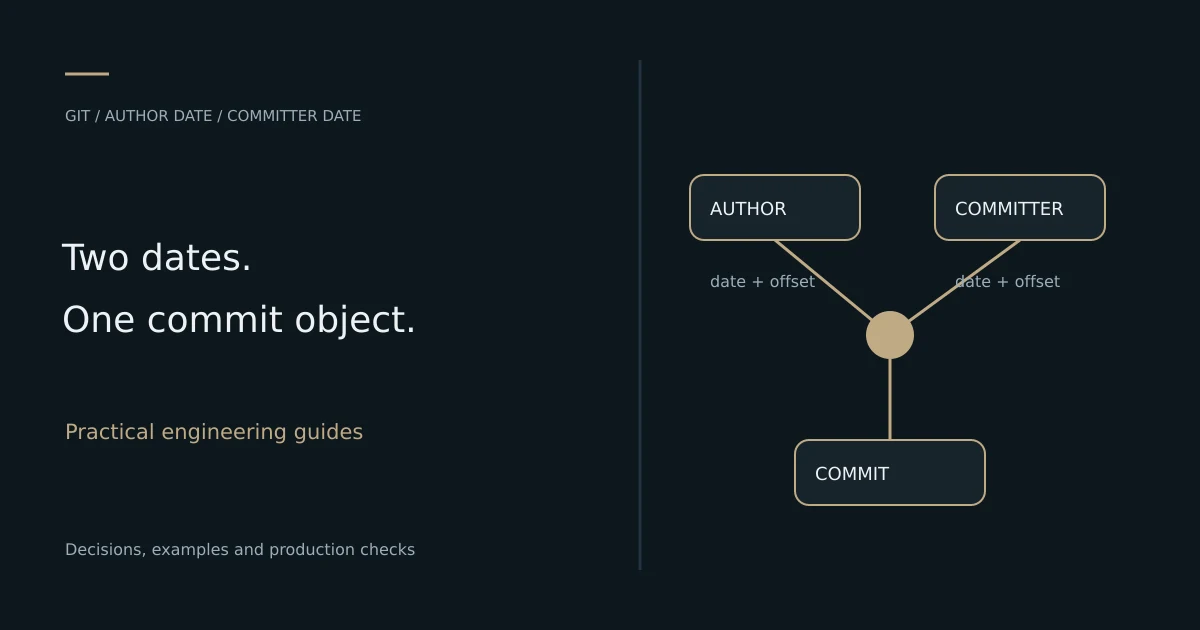
TL;DR: Git records an author date and a committer date.
git commit --datechanges the author date; useGIT_COMMITTER_DATEas well when both timestamps must be explicit. Changing an existing commit creates a different commit object, so inspect both dates, preserve a backup reference and coordinate any changes to shared history.
Quick answer: make a Git commit with a specific date
For a new commit on a private branch with the intended changes already staged, set both timestamps explicitly. Use an ISO-style timestamp with a timezone offset so the result does not depend on the machine's local zone.
GIT_AUTHOR_DATE='2026-11-01T10:30:00+05:30' \
GIT_COMMITTER_DATE='2026-11-01T10:30:00+05:30' \
git commit -m "Record imported changes"

git show --no-patch --format=fuller HEAD
This is useful when preserving the chronology of imported work or correcting a known metadata mistake. It does not alter when a hosting service received a push, when a review happened or when a deployment ran. Keep those events distinct when documenting a project.
The rest of the guide explains which timestamp to change, how to verify the result and how to avoid accidentally rewriting more history than intended. If you are new to staging and commits, start with the Git fundamentals guide.
Author date and committer date are different
The author identity describes the person responsible for the change and its associated date. The committer identity describes the person recording the commit object and its date. They can legitimately differ during patch application, cherry-picking, rebasing and import workflows.
Git's commit documentation describes the date options and environment variables. The important distinction for this task is that --date overrides the author date. It is not a shortcut for changing every timestamp connected with the repository.
| Field or event | What it represents | How to inspect it |
|---|---|---|
| Author date | Timestamp in the author metadata | %aI or fuller commit output |
| Committer date | Timestamp in the committer metadata | %cI or fuller commit output |
| Push or receive event | Hosting-system activity | Provider event or audit records |
| File modification time | Filesystem metadata | Operating-system tools |
| Build and deployment time | CI or release activity | Pipeline and deployment records |
A screenshot of one date field cannot prove all these events happened at the same time. Inspect the field relevant to the problem before changing anything.
Use a disposable repository to learn the behavior
Test date commands outside a production repository. A small local repository makes it easy to compare original and corrected commits without disrupting collaborators. Configure a demonstration identity only in that repository rather than changing your global Git settings.
SC_GIT_DEMO_DIR=$(mktemp -d /tmp/sc-git-date-demo.XXXXXX)
git init -q --initial-branch=main "$SC_GIT_DEMO_DIR"
cd "$SC_GIT_DEMO_DIR"
git config user.name 'Date Demo'
git config user.email 'date-demo@example.invalid'
printf 'Example record\n' > record.txt
git add record.txt
The directory name is generated uniquely. Keep track of it so you do not confuse this test repository with a real project. The identity uses a reserved example domain and should not be copied into an actual contribution workflow.
From this point, run the quick-answer commit command in the demonstration repository, then inspect its output. The goal is to understand what the tool records before applying the same reasoning to a real branch.
Choose an unambiguous date format
An explicit timestamp with an offset is easier to verify than a locale-dependent date string. For example, 2026-11-01T10:30:00+05:30 identifies a specific instant as well as its displayed offset. The same instant can be represented differently in UTC without changing its meaning.
Avoid ambiguous forms such as 01/11/26 in scripts. A human may mean 1 November or 11 January. Relative expressions can also depend on when the command runs and which parsing path is used. Reproducible imports should use recorded source dates and explicit offsets.
Decide whether you are preserving an original wall-clock representation or a particular instant. A migration may need both the source timezone and the normalized timestamp in its records. Do not silently assign the current machine's timezone to old data whose original zone is unknown.
Inspect both dates before and after a change
Use a format that exposes author and committer metadata together. Default history views often emphasize only one date, which can make a partially corrected commit appear fully corrected.
git show --no-patch --format=fuller HEAD
git log -5 --format='%h author=%aI committer=%cI %s'
git cat-file -p HEAD
The Git show reference documents its formatting behavior. The raw object view is useful when a graphical interface presents a date differently. Compare the metadata itself with the interface's display rather than assuming either one is showing the field you intended.
Record the commit identifier as well as the date. If an amendment creates a new object, a CI system or review tool can still refer to the old identifier. Verification should establish which object your branch and remote actually reference.
Set only the author date when that is the right correction
Sometimes the change was authored earlier but is being recorded or imported now. In that case, preserving the earlier author date and the current committer date can accurately describe the workflow. Do not force both fields to match merely for visual consistency.
# With the intended changes staged, set the author date only
git commit --date='2026-11-01T10:30:00+05:30' \
  -m "Import a dated source change"
Before relying on the current committer date, check that no inherited environment variable overrides it. A long-lived shell or CI job may carry variables from a previous step. Scope date overrides to the specific command whenever possible.
For an import process, document the date policy: which source field becomes the author date, what happens when it is missing, and whether the import time becomes the committer date. A stated policy is better than inventing plausible timestamps for incomplete source records.
Correct the most recent private commit
First inspect the working tree and create a backup branch pointing to the current commit. An amendment records the index's tree, so unintended staged changes can be included along with the date correction. Use a clean, understood index before proceeding.
git status --short
git branch backup/before-date-correction

GIT_COMMITTER_DATE='2026-11-01T10:30:00+05:30' \
git commit --amend --no-edit \
  --date='2026-11-01T10:30:00+05:30'

git show --no-patch --format=fuller HEAD
Choose an unused backup branch name if you already created one. --no-edit retains the message, not the old commit identifier. The new object can contain the same tree and message while differing in timestamp metadata.
Afterward, compare the tree to the backup reference. A date-only correction should not change file content. If content differs unexpectedly, inspect the index and the amendment instead of assuming the timestamp option caused a file modification.
git diff backup/before-date-correction HEAD --
git rev-parse backup/before-date-correction
git rev-parse HEAD
These checks separate content equivalence from object identity. Keep the backup until the intended result has been verified and any downstream references have been understood.
Understand why changing a date changes the commit hash
A commit identifier is derived from the commit object, which includes metadata and parent references as well as the tree. Change a timestamp and you change the object. Rewriting an earlier commit can also change descendants because their parent references must point to the rewritten history.
This explains why a seemingly small date repair can affect a whole branch. The files may be unchanged, but commit identifiers used in reviews, release records, signatures or build links may differ. Treat the operation as a history change rather than a cosmetic display setting.
Do not use commit timestamps as the only evidence of when work was delivered. For operational records, preserve review, receipt, build and deployment events independently. The date fields have legitimate editing mechanisms and were not designed to replace every external audit trail.
Handle older commits with a deliberately limited rewrite
For an earlier private commit, an interactive rebase can pause at the target so you can amend it and continue. Define the smallest range necessary, preserve a backup and understand whether the branch contains merges or special release requirements.
A rebase is not just an editor for one timestamp. It can replay commits, encounter conflicts and change descendant identifiers. If the branch already supports other people's work, coordinate before selecting this approach. A corrective note may be more appropriate than rewriting published history.
Use the Git rebase documentation for the exact workflow and behavior of the installed version. Practice on a copy of the branch first. Verify both the intended date and content equivalence afterward, including any conflict resolutions introduced during replay.
Separate GitHub contribution display from repository metadata
A hosting service can display author dates, commit dates, activity events or contribution summaries in different places. Updating local metadata does not mean every display changes in the same way or on the same schedule.
If the goal is to understand a contribution view, check the provider's contribution troubleshooting documentation and the relevant identity and repository conditions. Avoid repeatedly rewriting history based only on a cached display.
For a migration or corrected clock, keep the original evidence and describe the correction in the project records. Do not represent edited commit metadata as proof that code was reviewed, delivered or deployed earlier. Those claims require their own records.
Check for inherited environment overrides
Date variables can be set by shell configuration, build tooling or an earlier command. An unexpected override can explain why a new commit still has an old timestamp even after the system clock is corrected.
# Show only date-related override variables, not the whole environment
printenv GIT_AUTHOR_DATE || true
printenv GIT_COMMITTER_DATE || true
Avoid printing the whole environment when diagnosing this issue, especially in CI, because it may contain credentials unrelated to Git dates. Inspect only the relevant variables and configuration. Command-scoped assignments make the behavior easier to reason about and reduce accidental carryover into later work.
A repository-local test should also identify the Git version and shell. Bash-style environment assignments need adaptation in other shells. Do not assume a command failing to parse in PowerShell is evidence that Git cannot set the timestamp.
Adapt the syntax for PowerShell
PowerShell uses a different syntax for environment variables. Set them for the command and restore their previous values afterward so the session does not affect later commits unexpectedly.
$previousAuthorDate = $env:GIT_AUTHOR_DATE
$previousCommitterDate = $env:GIT_COMMITTER_DATE
try {
  $env:GIT_AUTHOR_DATE = '2026-11-01T10:30:00+05:30'
  $env:GIT_COMMITTER_DATE = '2026-11-01T10:30:00+05:30'
  git commit -m 'Record imported changes'
  git show --no-patch --format=fuller HEAD
} finally {
  $env:GIT_AUTHOR_DATE = $previousAuthorDate
  $env:GIT_COMMITTER_DATE = $previousCommitterDate
}
Run this only with the intended changes staged in the target repository. As with the Bash example, verify the resulting object rather than judging success only from an exit message. Keep shell syntax separate from the underlying metadata semantics.
Plan recovery before changing shared history
A backup reference provides a clear route back to the original object while it remains available. The reflog documentation describes local reference-update history, which can help locate earlier states. It is useful recovery evidence, not a substitute for a durable repository backup.
If you amended the wrong commit, first inspect the backup and reflog, then preserve a reference to the state you want. Avoid an immediate hard reset while the working tree contains changes you have not accounted for. Recovery should not destroy unrelated work.
For published branches, agree on a repair plan with collaborators and any release tooling. Understand what references, signatures and checks must be recreated. Do not present force-pushing as an automatic final step of a date edit; the correct action depends on branch ownership and the team's workflow.
Troubleshoot common date problems
| Symptom | Likely explanation | What to inspect |
|---|---|---|
--date changed one date only | Author and committer fields are distinct | Fuller output and both ISO fields |
| Date displays as a different day | Timezone conversion near midnight | Stored offset and display timezone |
| Old date appears on a new commit | Inherited date environment variable | Command-scoped overrides |
| Content changed during amendment | Staged changes were included | Tree comparison against backup |
| Hash changed after a date repair | Metadata changed the commit object | Original and corrected identifiers |
| Contribution view is unchanged | Provider rules, identity or display behavior | Provider documentation and actual object |
Diagnose the field and object first. Repeating amendments without understanding the discrepancy creates more rewritten history while leaving the original question unresolved.
Find commits by date without rewriting them
Sometimes a search for Git commit dates is really a request to inspect an earlier state. You do not need to amend history for that. Use an explicit range to list candidate commits, inspect both timestamps and choose the verified object you want to examine.
git log --since='2026-11-01T00:00:00+05:30' \
  --until='2026-11-02T00:00:00+05:30' \
  --format='%h author=%aI committer=%cI %s'

git log -1 --before='2026-11-02T00:00:00+05:30' \
  --format='%H author=%aI committer=%cI %s' main
Read the Git log reference when the distinction between traversal, filtering and displayed dates matters. A timestamp is not a replacement for a release tag or deployment record. The last commit before a cutoff is not necessarily the application version deployed at that time.
If you need to inspect a historical checkout, first preserve or commit unrelated working-tree changes and verify the candidate commit. A separate worktree can avoid disturbing the active branch. Keep the investigation read-only until you understand whether the actual problem concerns metadata, branch selection or release identification.
Define a reproducible policy for imported history
An import process should explain how each source record maps to a commit. Record the source identifier, content transformation, selected timestamp and handling of missing metadata. If two runs of the import are expected to reproduce the same objects, every metadata input needs to be controlled, not only the date.
Choose a rule for incomplete or contradictory source dates. You might preserve the recorded author date when available and use the documented import time as the committer date. If the source timezone is missing, record that uncertainty rather than silently treating a local time as UTC. A deterministic mapping is useful only when its meaning remains honest and understandable.
Keep the source-to-commit mapping with the migration documentation. This lets another engineer verify a particular record without reverse-engineering a generated history. Test a small representative sample first, including an empty change, a timezone boundary and a record with missing date information.
Do not assign random dates to make the result look natural. A migration's purpose is to preserve useful provenance and content. If the original data does not establish a detailed chronology, document the limitation and choose an explicit policy that future maintainers can interpret.
Verify a date correction as a small acceptance test
A meaningful verification checks the author date, committer date, tree and object identity separately. Before the amendment, record the original commit and tree identifiers. Afterward, confirm the intended metadata changed while the tree remains equal when the operation was supposed to affect metadata only.
Also verify the active branch points to the corrected commit. It is possible to inspect a new object while a release branch or remote still references the previous one. The next action depends on the intended workflow, so do not assume local amendment alone completes a shared repository repair.
For automation, make failures visible and keep the script's scope narrow. A script that reports success without checking the resulting object can reproduce the same incorrect date across many commits. Start with one known example, inspect its exact output and only then apply the agreed policy to a wider private history.
Keep the original reference until acceptance is complete. If an automated check fails, you should be able to compare against the original state without guessing which reflog entry predates the operation. This is a practical recovery measure, not extra ceremony for its own sake.
Repository-readiness checklist and next steps
- Identify the specific author, committer or external event date involved.
- Use a disposable repository to verify command behavior.
- Record an explicit timestamp and timezone policy.
- Inspect the index before amending a real commit.
- Preserve a backup reference and compare file content afterward.
- Check both author and committer fields with the new identifier.
- Coordinate any changes to shared branches and release records.
- Keep delivery evidence separate from editable commit metadata.
SoftwareCrafting's engineering mentorship can help teams understand repository recovery, branching and release workflows. For automation around reproducible builds and deployments, use DevOps services. Discuss your repository workflow with the problem you need to correct and whether the branch has already been shared.
Frequently Asked Questions
Can you backdate a Git commit?
Yes. Set the appropriate author and committer date inputs when recording the commit. Use a specific date with an offset and inspect both fields afterward. For existing commits, the correction creates a new object.
Does git commit --date change the committer date?
No. It overrides the author date. Set GIT_COMMITTER_DATE explicitly when the committer date must also be controlled.
Why did the commit hash change if the files are identical?
Commit metadata contributes to object identity. A different timestamp can produce a different commit identifier even when the tree and message remain unchanged.
Can I change a date after pushing?
Technically, rewriting the commit is possible, but shared history and downstream references must be handled deliberately. Coordinate the repair instead of treating a force push as routine.
Is a commit timestamp proof of when a release was delivered?
No. Keep review, push receipt, CI and deployment events as separate evidence. Editable commit metadata does not establish all of those events.