K9POS case study: self-checkout and kitchen display for a point of sale system
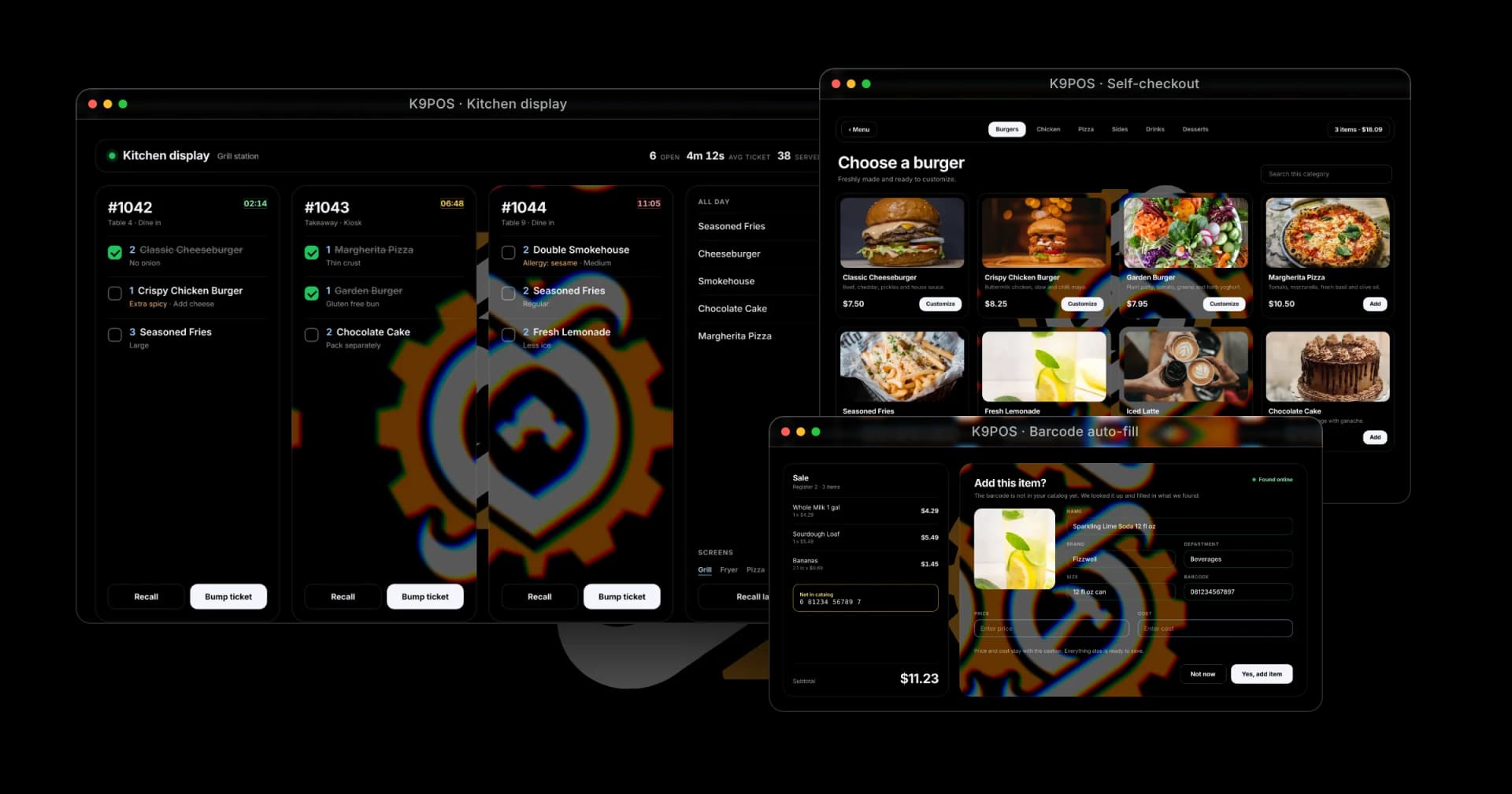
Self-checkout, a kitchen display and barcode auto-fill for a point of sale system stores already rely on.
- Client
- BM Global Tech
- Since
- June 2026
- Engagement
- Monthly retainer
- Modules
- Self-checkout, KDS, barcode
The client and the work
K9POS is a point of sale system from BM Global Tech, a New Jersey company serving restaurants, cafes and retail stores. It runs the counter, the back office and the reports, and it has been in daily use for years.
Since June 2026 SoftwareCrafting has worked with BM Global Tech on a monthly retainer. We started with design, then fixed admin and reporting issues, then shipped a full self-checkout flow, a kitchen display and barcode auto-fill for new products. We are now building the next version of the kitchen display.
Everything ships inside the existing system. There is no rewrite: each module is designed in HTML first, agreed with the client, then built into the live product in small releases.
Since June 2026, one release at a time
Jun 2026
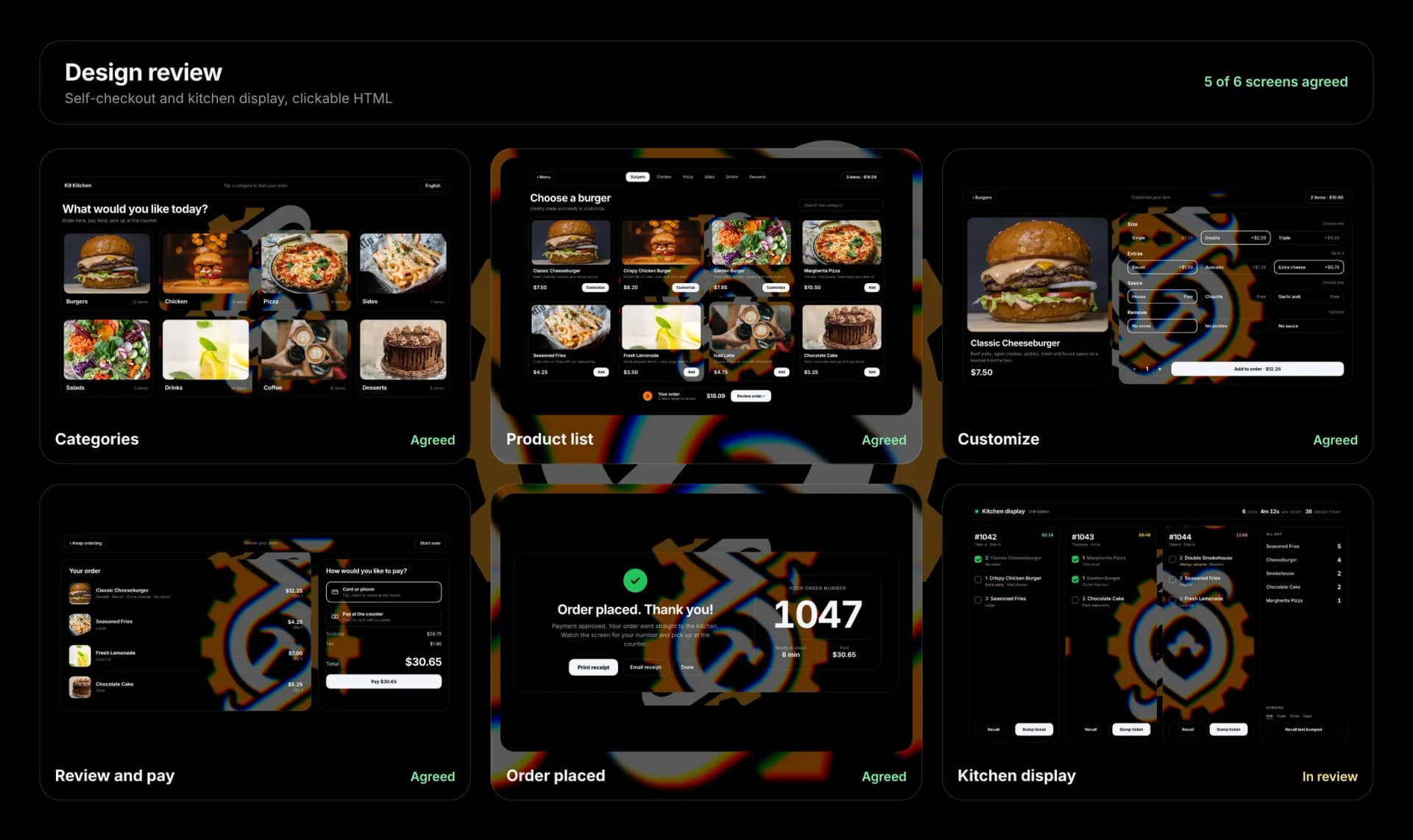
Design first
- 01Walked through the counter, the back office and the reports with the client
- 02Designed the self-checkout and kitchen screens as working HTML pages
- 03Agreed every screen before a line went into the live product
Jul 2026
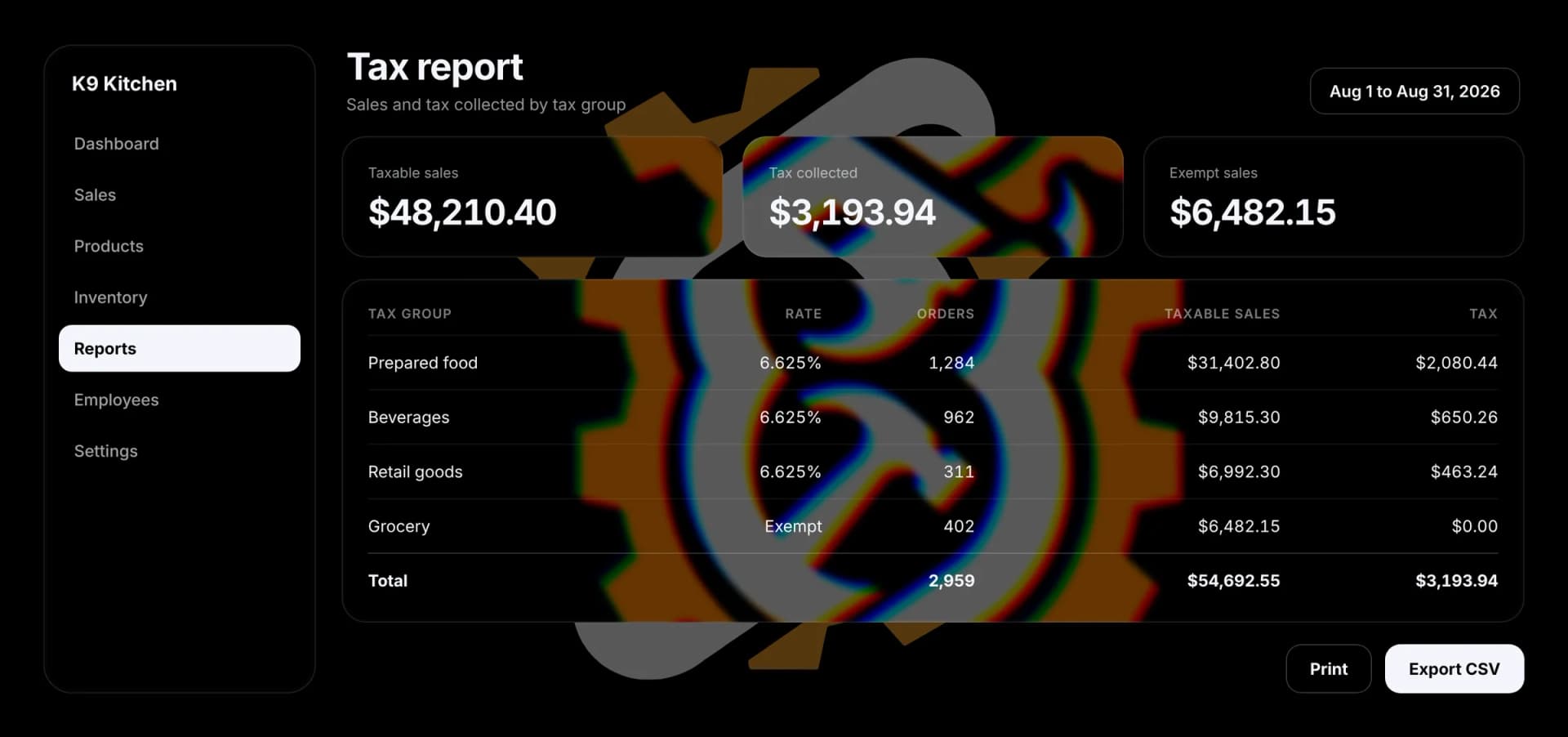
Admin and reports
- 01Smoother admin navigation on the counter machines
- 02Repaired the tax report that stopped loading
- 03Documented open issues with the client so nothing got lost
Aug 2026
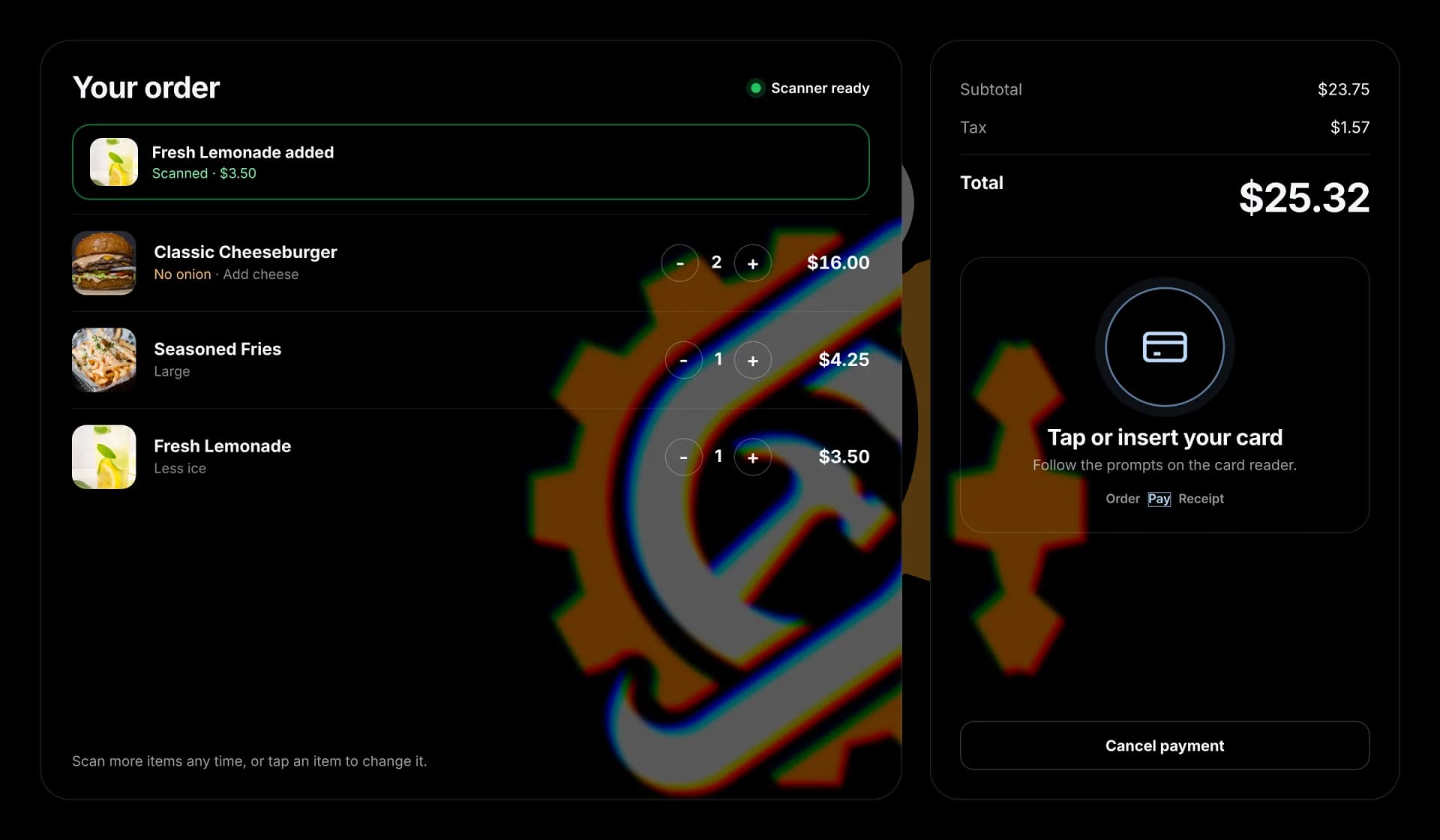
Self-checkout and kitchen display
- 01Full self-checkout: categories, products, customization, review, payment
- 02Barcode scanning inside self-checkout
- 03Subtotal and tax shown at every step
- 04Kitchen module update and a cleaner vendor summary
Sep 2026
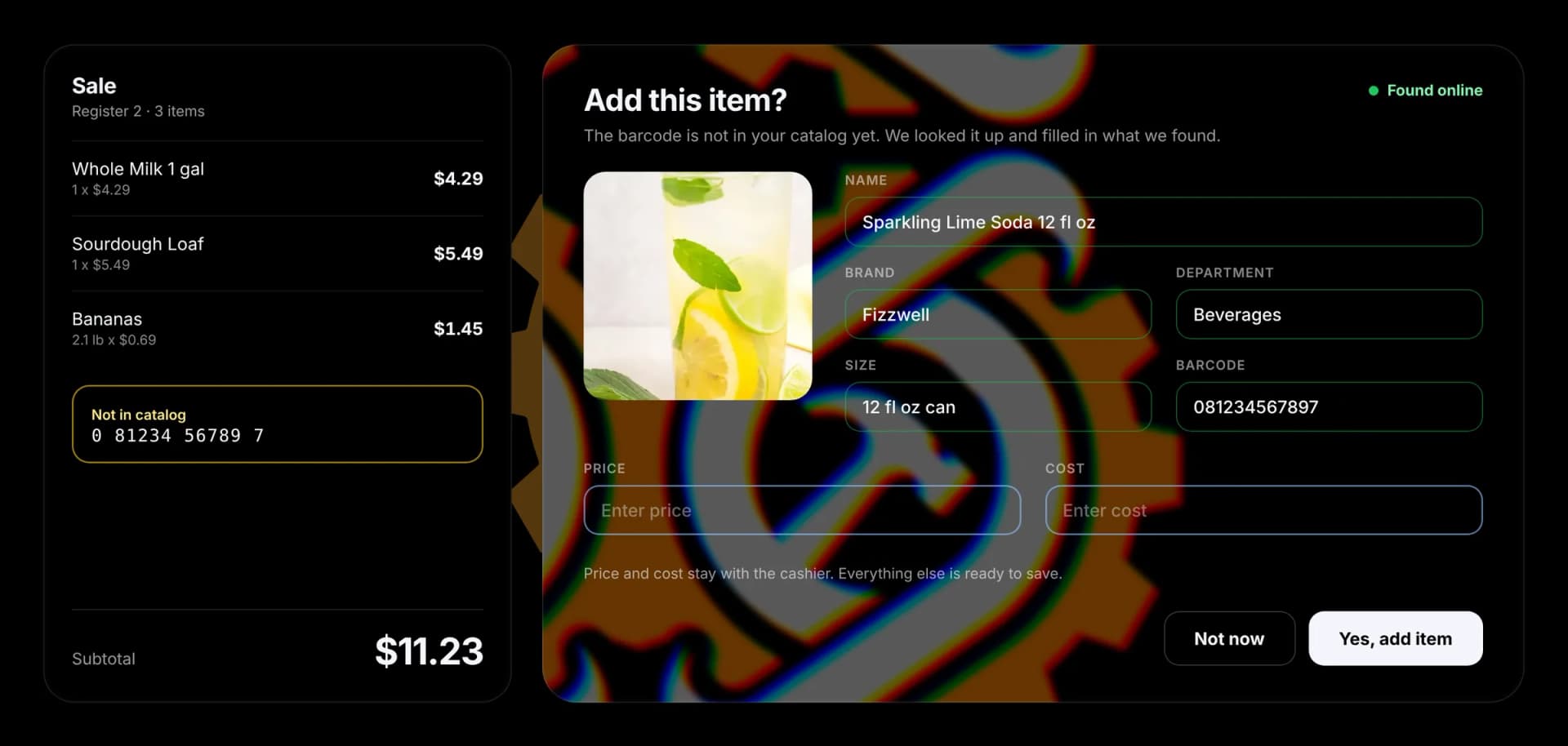
Barcode auto-fill
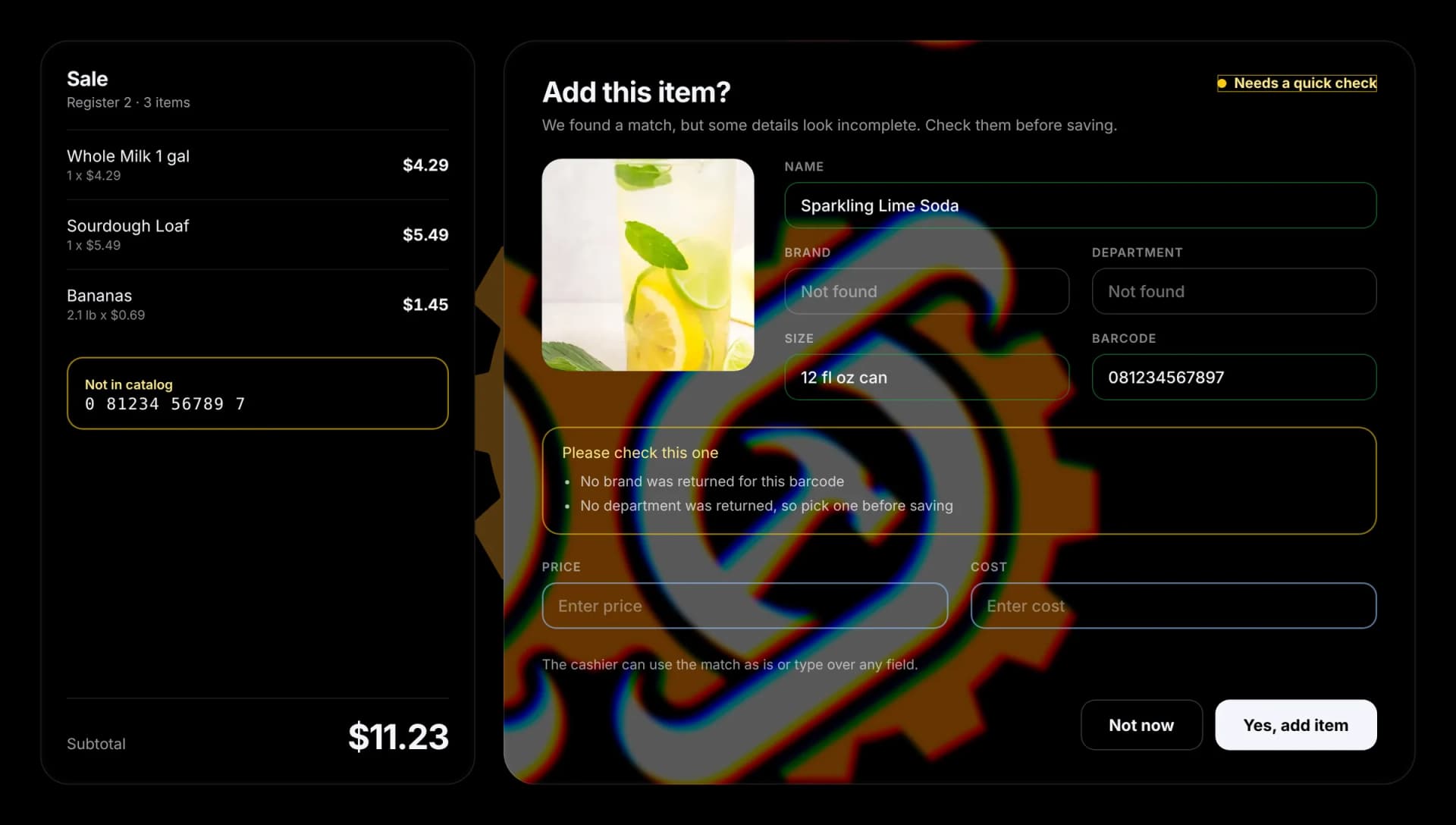
- 01Unknown barcodes look themselves up and fill the new product form
- 02Price and cost always stay with the store
- 03Missing details flagged for a check before saving
Nowin progress
Kitchen display v2
- 01Item-level tickets with checkoffs, timers and recall
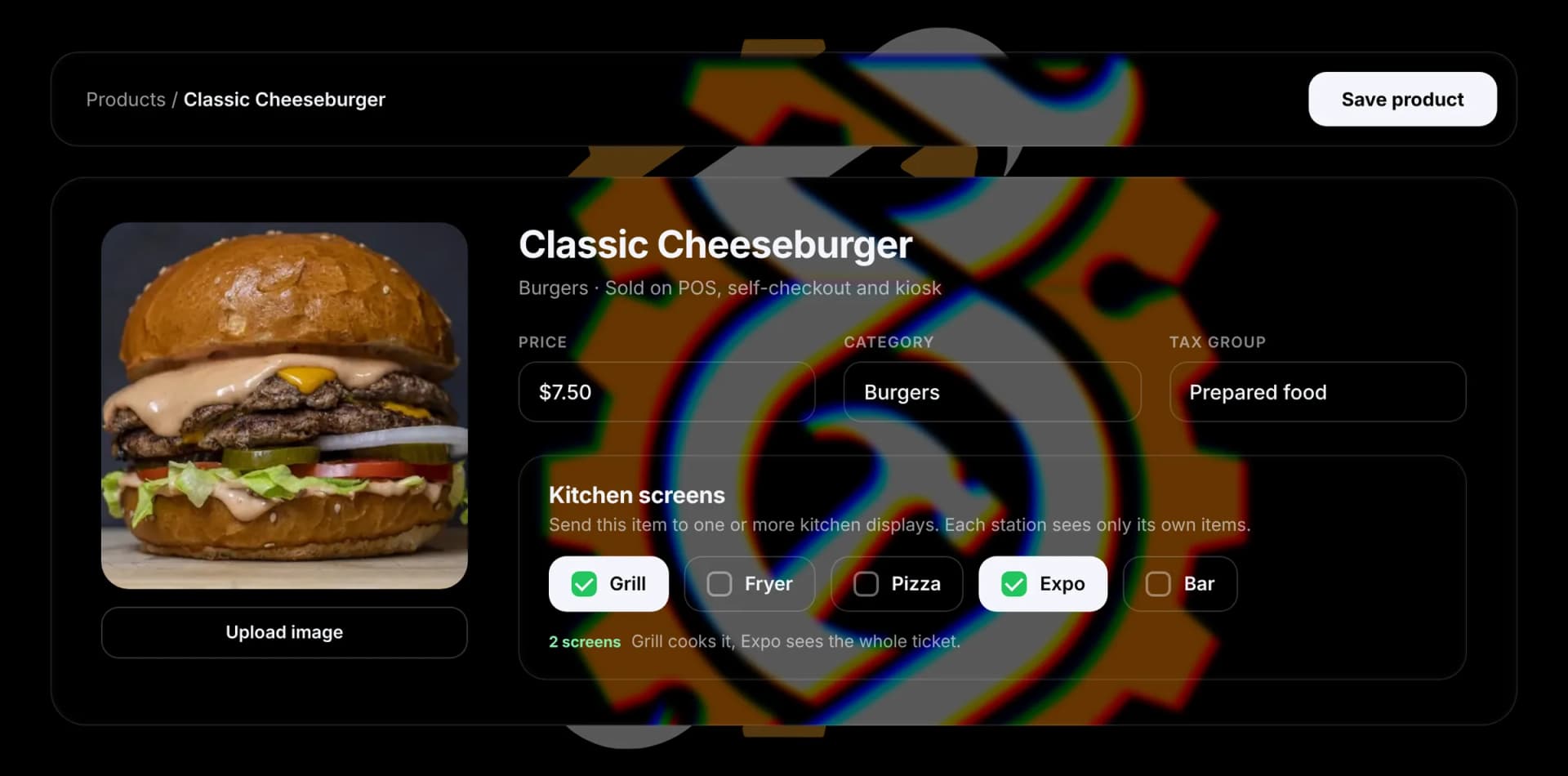
- 02Choose which kitchen screens get each product
- 03An all-day count of every open item
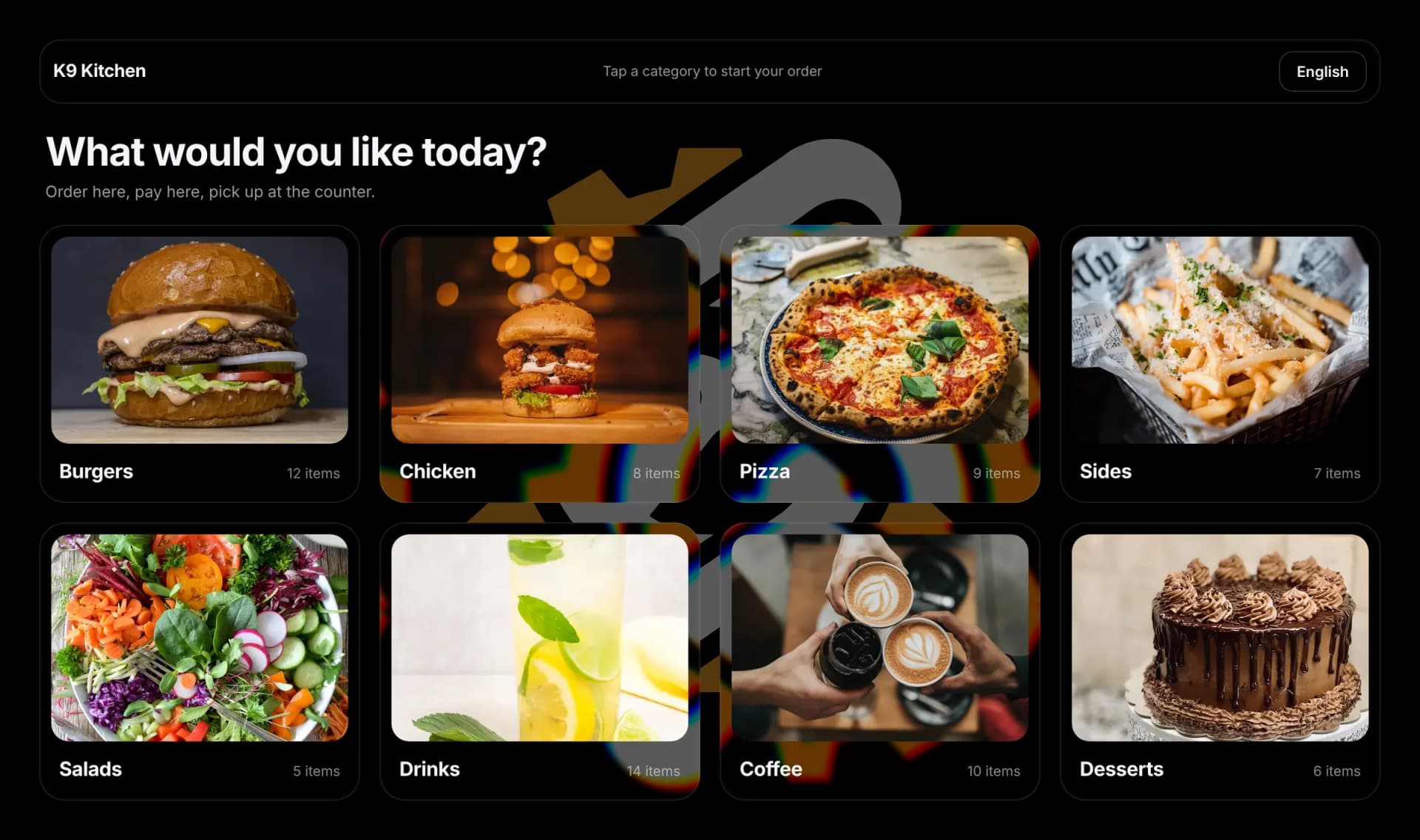
Self-checkout a first-time customer can finish alone
- 01
Pick a category
Big photo tiles, one tap to start.
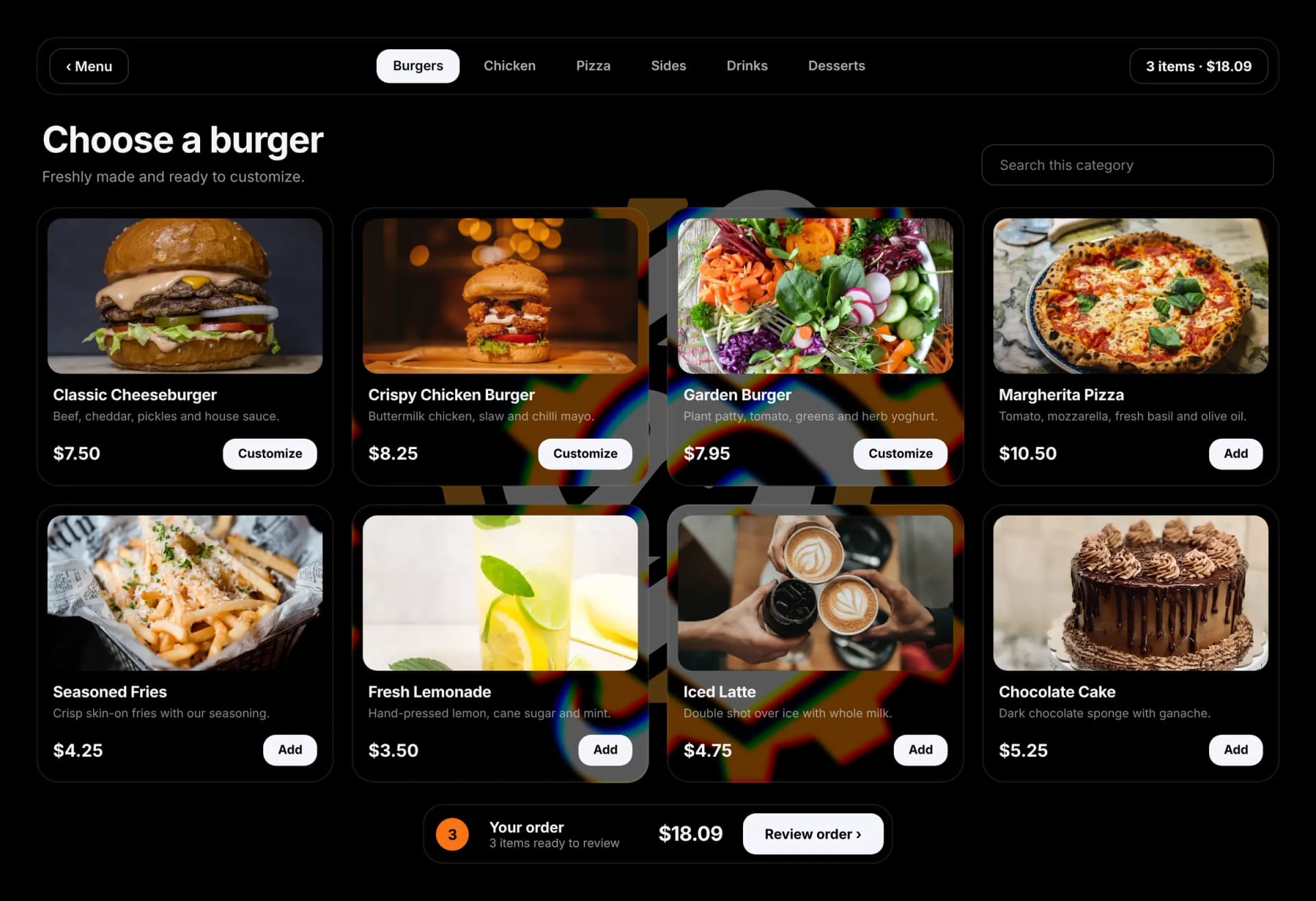
- 02
Choose a product
Prices up front and the running total always in view.
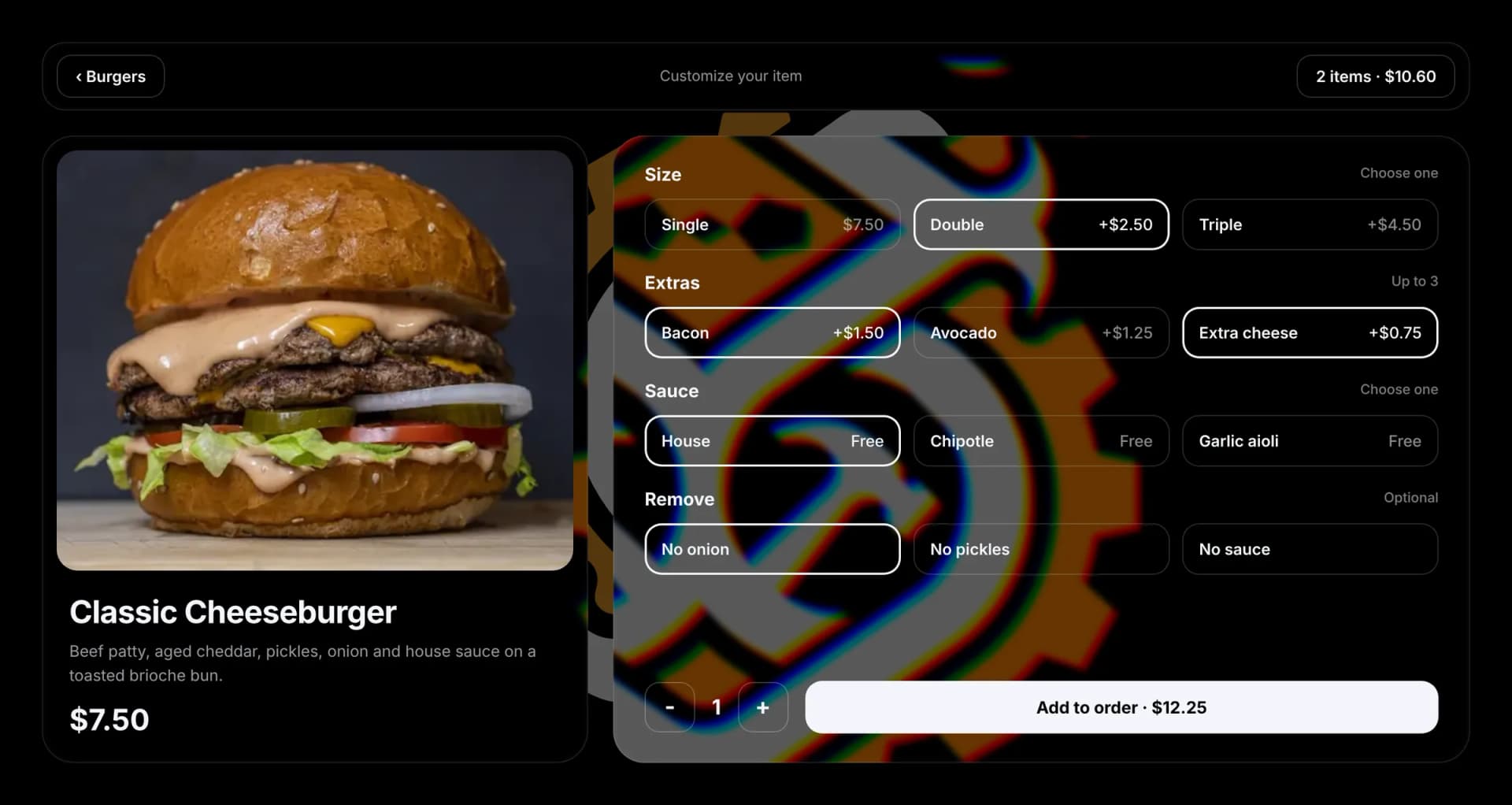
- 03
Make it yours
Size, extras, sauce and removals on one screen.
- 04
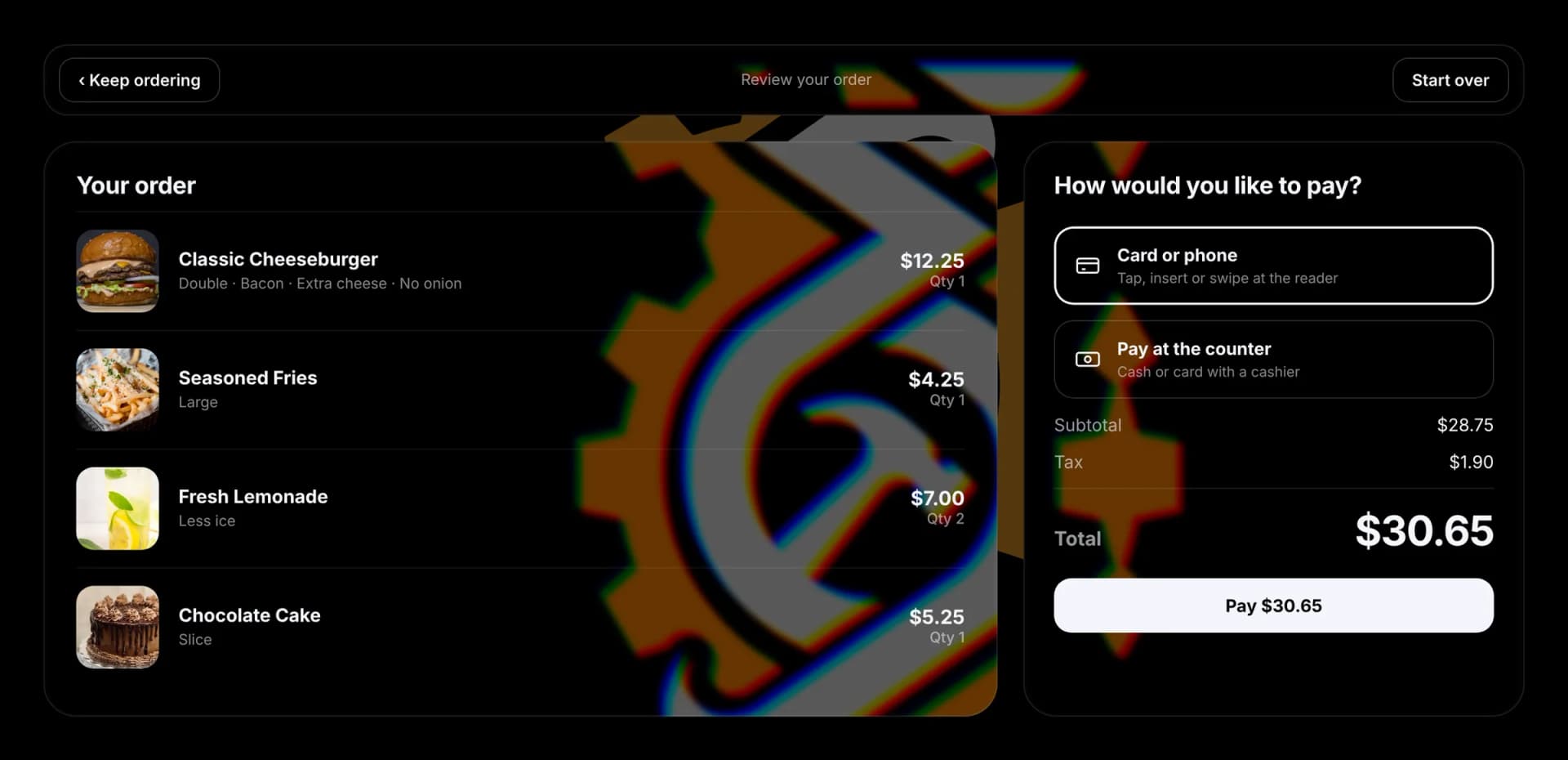
Review and pay
Card at the reader or pay at the counter, with tax shown.
- 05
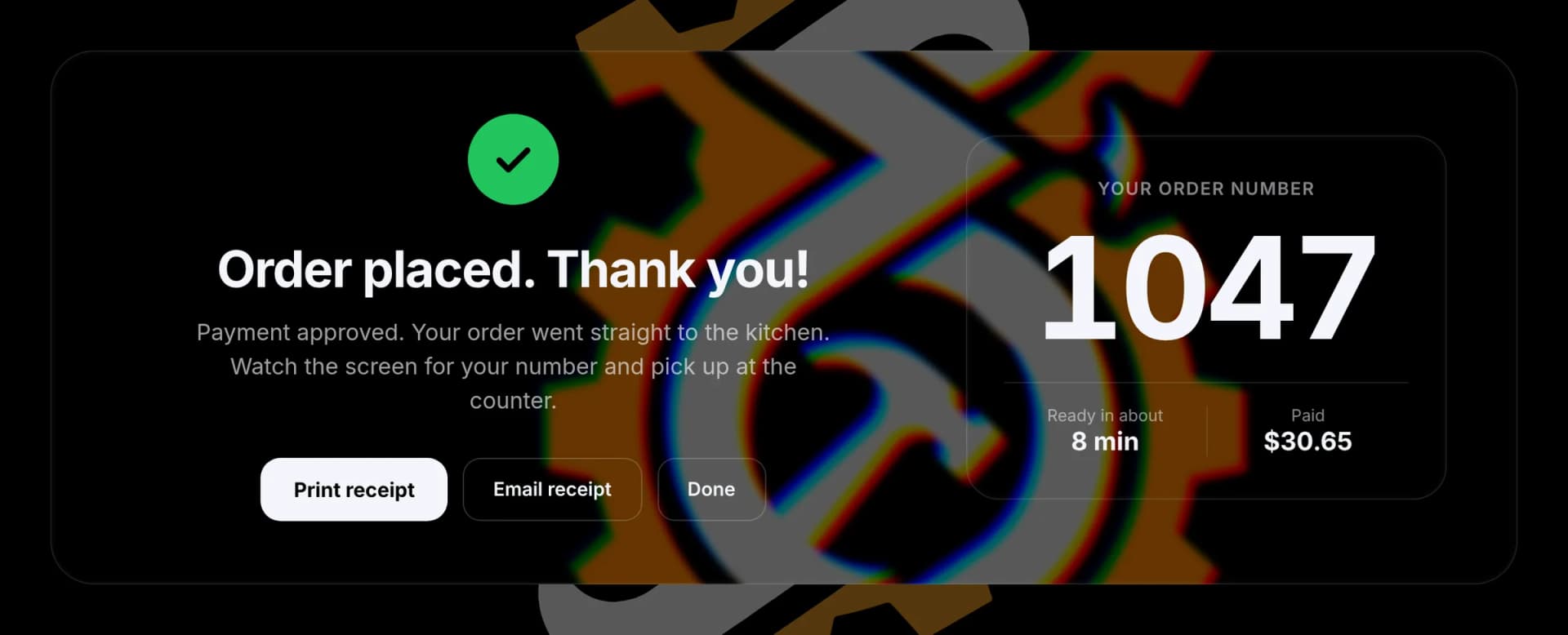
Pick up
A big order number and the order is already in the kitchen.
A kitchen display you can read mid-rush
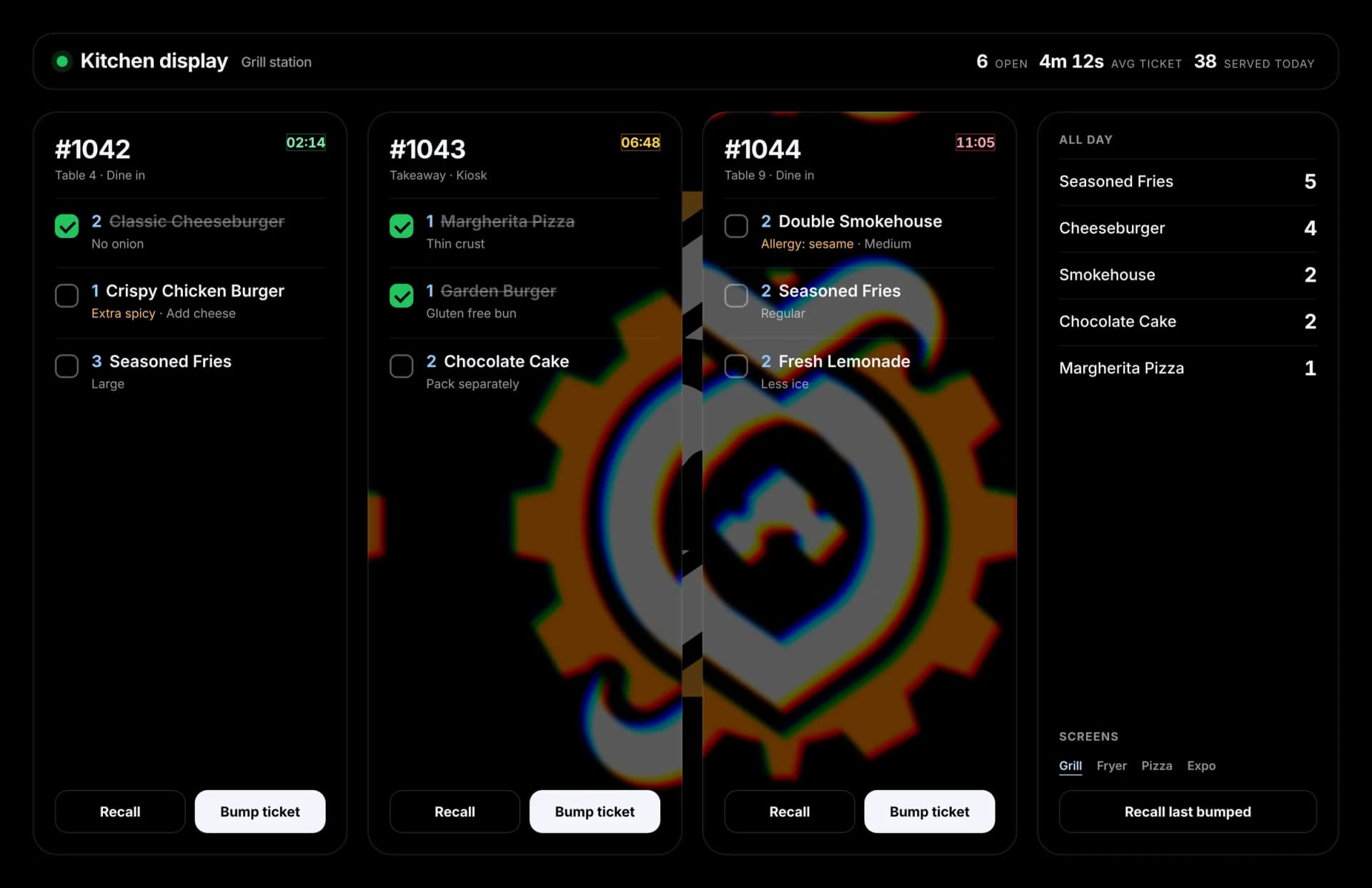
01Timers by colour
Green, amber and red so the expo sees late tickets from across the kitchen.
02Item checkoffs
Cooks tick items as they finish. One bump clears the ticket, recall brings it back.
03Screen routing
Each product chooses its stations, so the grill never sees the drinks.
Scan an unknown barcode, get a filled-in product
Improving a live product without stopping it
01Design in HTML first
Every screen starts as a working HTML page the client can click through. Changes are cheap there, so the build matches what was agreed.
02No rewrite
K9POS runs real stores. New modules plug into the existing system and data, so staff keep the tools they know.
03Small, steady releases
A monthly retainer and releases every few days. The client sees progress weekly and can reorder priorities at any time.
Built with PHP, MariaDB, JavaScript (ES5), HTML and CSS, Embedded Chromium desktop shell