
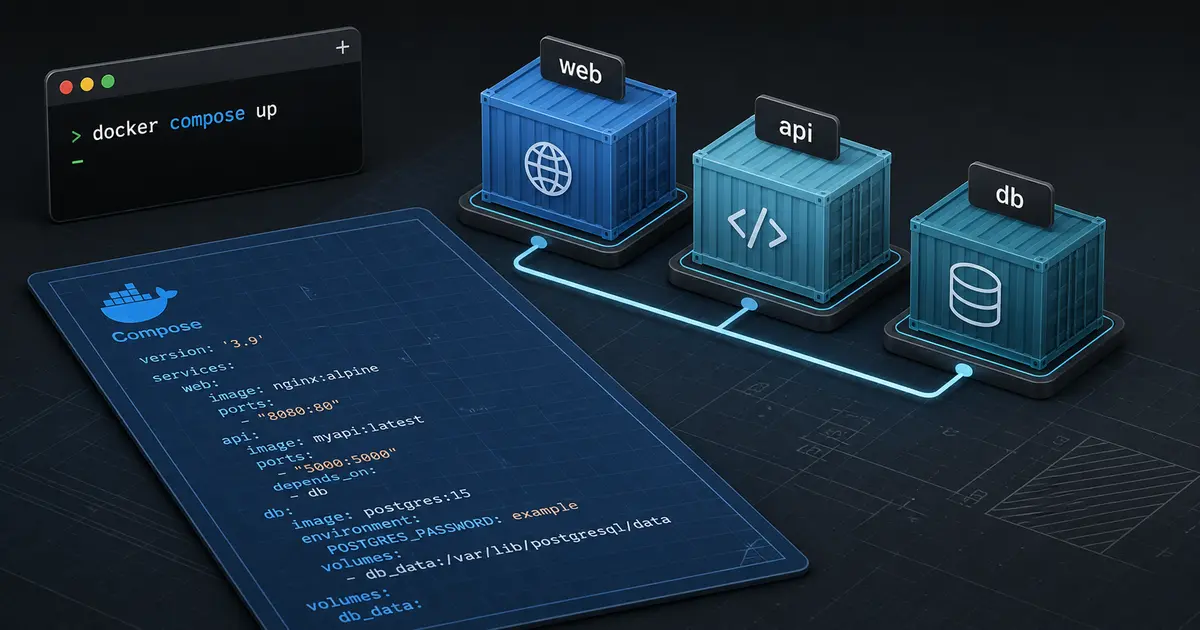
TL;DR: Docker Compose lets you define a multi-container application in one declarative
compose.yamlfile. Use it to make local development reproducible, isolate service dependencies, test realistic integrations, and create a clear handoff to production orchestration. Treat local Compose configuration and production deployment configuration as related but separate concerns.
What Docker Compose solves
A modern application rarely consists of one process. A Node.js API may need PostgreSQL, Redis, an object-storage emulator, a worker, and a reverse proxy. Running each dependency manually creates machine-specific setup instructions, port conflicts, inconsistent versions, and difficult onboarding.
Docker packages a process and its runtime dependencies into an image. Compose defines how several containers run together: images, builds, ports, environment variables, networks, volumes, health checks, and dependencies. Docker describes Compose as a way to define and run multi-container applications from a YAML file.
Compose is not Kubernetes. It is excellent for local development, integration tests, demonstrations, and single-host deployments with an explicit operational boundary. A production platform may use ECS, Kubernetes, managed services, or another orchestrator instead.
A small application stack
Create a compose.yaml file at the repository root:
services:
  api:
    build:
      context: .
      target: development
    command: npm run dev
    ports:
      - '3000:3000'
    environment:
      DATABASE_URL: postgres://app:app@db:5432/app
      REDIS_URL: redis://cache:6379
    volumes:
      - .:/workspace
      - node_modules:/workspace/node_modules
    depends_on:
      db:
        condition: service_healthy
      cache:
        condition: service_started

  db:
    image: postgres:16
    environment:
      POSTGRES_USER: app
      POSTGRES_PASSWORD: app
      POSTGRES_DB: app
    volumes:
      - postgres_data:/var/lib/postgresql/data
    healthcheck:
      test: ['CMD-SHELL', 'pg_isready -U app -d app']
      interval: 5s
      timeout: 5s
      retries: 10

  cache:
    image: redis:7-alpine

volumes:
  postgres_data:
  node_modules:
The API connects to db, not localhost, because services communicate through the Compose network. From the host, localhost:3000 reaches the API through the published port. This distinction is one of the first sources of confusion for new teams.
Services, images, and builds
Use image when a trusted prebuilt image is sufficient. Use build when the service is part of your repository and needs a Dockerfile. A multi-stage Dockerfile can keep development dependencies and production runtime images separate.
FROM node:22-alpine AS base
WORKDIR /workspace
COPY package*.json ./
RUN npm ci
COPY . .

FROM base AS development
CMD ["npm", "run", "dev"]

FROM base AS production
RUN npm run build && npm prune --omit=dev
CMD ["node", "dist/server.js"]
Keep the build context small with .dockerignore. Do not copy .env, Git history, local credentials, or build artifacts into an image. Pin major versions and review image updates as dependency changes.
Networking and service discovery
Compose creates a project network by default. Service names resolve through Docker's internal DNS. Expose a port to the host only when a host process or developer needs it. Internal databases and caches usually do not need published ports.
Separate public and private networks when a reverse proxy should be the only path to an API. A container on a shared network can reach other services unless network boundaries are designed intentionally. Network isolation is not a substitute for database authentication or application authorization.
Volumes and data safety
A named volume makes database data survive container recreation. docker compose down removes containers and networks but normally keeps named volumes. docker compose down --volumes removes the stored data, so use it deliberately.
Local development databases should be disposable or backed up when they contain valuable fixtures. Do not assume a Compose volume is a production backup. Production databases need automated snapshots, point-in-time recovery, restore tests, retention policies, and access controls.
For source code, bind mounts support fast feedback but can create permission and performance issues across operating systems. Named volumes for dependency directories can prevent host node_modules from conflicting with container packages.
Environment variables and secrets
Use .env.example to document required variable names without real values. Local Compose can load a developer .env file, but production secrets should come from a managed secret store or orchestrator secret mechanism.
Never commit passwords, cloud credentials, private keys, or provider tokens. Avoid printing the full environment from a running container. A container image should be safe to share with the team without revealing environment-specific secrets.
Startup order is not readiness
depends_on controls a startup relationship, but a process may still be warming up. Health checks express readiness for dependencies such as PostgreSQL. The application should still retry connections with a bounded backoff and fail clearly if the dependency remains unavailable.
Do not use a fixed sleep as a readiness strategy. It makes fast machines wait and slow machines fail. The application should be resilient to restarts because orchestration systems can restart a dependency at any time.
Useful commands
docker compose config
docker compose up --build
docker compose ps
docker compose logs -f api
docker compose exec db psql -U app -d app
docker compose run --rm api npm test
docker compose down
docker compose config renders and validates the resolved configuration. Run it in CI to catch missing variables and YAML mistakes. Use --profile for optional services such as mail testing, tracing, or local object storage.
Profiles and multiple environments
Profiles let a team keep optional tools in one file without starting them every time. You can also use multiple Compose files for base, development, CI, and production-like settings:
docker compose -f compose.yaml -f compose.ci.yaml up --abort-on-container-exit --exit-code-from api
Keep differences visible. A CI database may use an ephemeral volume, while development needs persistent data. Avoid making one huge file with hidden overrides that nobody can reason about.
Testing with Compose
Compose is valuable for integration tests because the test process can run against real PostgreSQL, Redis, or a local dependency emulator. Isolate each test run with a project name or unique database. Wait for health checks, run migrations, execute tests, and tear down the stack even when tests fail.
Use deterministic fixtures and avoid tests that depend on the developer's existing volume. For parallel CI, allocate separate ports or keep all services inside the Compose network and expose only the test runner.
Production boundaries
Compose can run a small application on a single host, but production needs more than a YAML file. You need image promotion, resource limits, restart behavior, health-based routing, TLS, backups, logs, metrics, secrets, patching, and a rollback process. A single host is a single failure domain unless the business explicitly accepts that risk.
For larger systems, translate the service contracts into ECS, Kubernetes, or another orchestrator. Keep the application image and environment contract stable while changing the runtime. Our Docker and Kubernetes learning path explains how the concepts evolve.
Common mistakes
- Using
localhostfor container-to-container connections. - Publishing database ports unnecessarily.
- Treating
depends_onas a readiness check. - Committing
.envfiles or secrets into images. - Deleting volumes without confirming the data is disposable.
- Mounting the whole repository in a production image.
- Assuming local Compose provides high availability.
Production-ready checklist
- Images are pinned, scanned, and built reproducibly.
-
.dockerignoreexcludes secrets and unnecessary files. - Internal services use private networks and authenticated connections.
- Health checks and application retries are configured.
- Volumes, backups, and restore behavior are understood.
- Secrets come from the correct environment mechanism.
- CI runs integration tests against a clean stack.
- Production deployment has an explicit orchestrator and rollback plan.
Conclusion
Docker Compose turns a multi-service setup into a versioned, reviewable contract. It is one of the fastest ways to give a team a consistent local environment, but it should be connected to a deliberate production strategy. SoftwareCrafting’s DevOps and cloud deployment service can help convert a local Compose stack into a secure, observable deployment workflow.
For the container fundamentals, read What is Docker?.