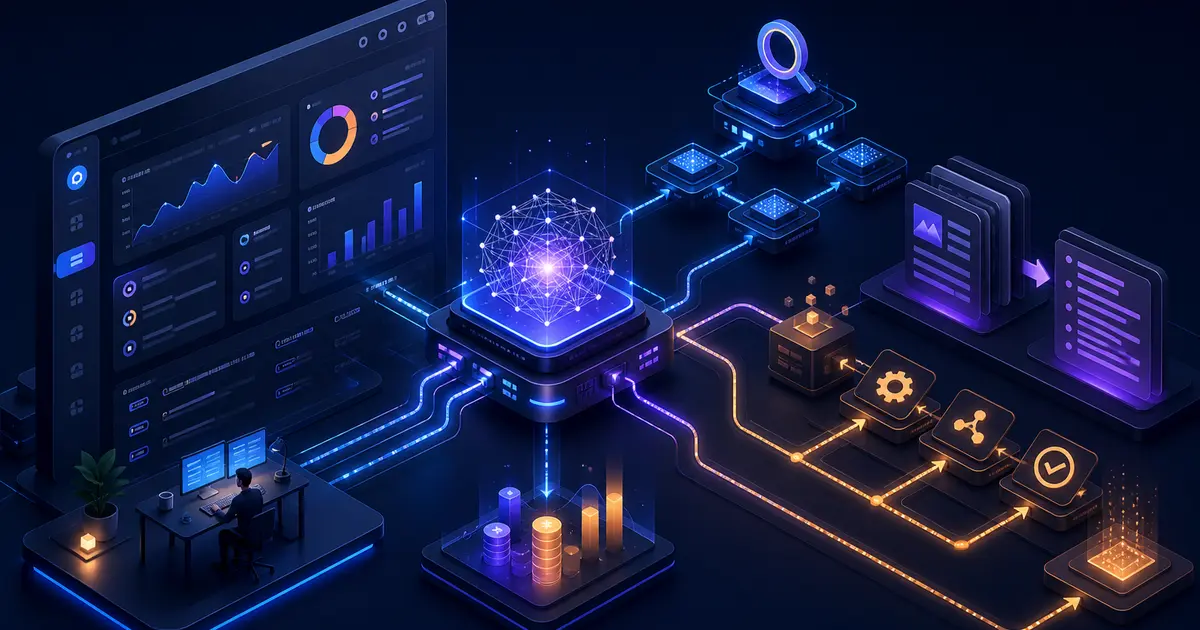
TL;DR: AI integration cost for SaaS products depends on the workflow, not just the model API. Budget for UX, prompts, context, retrieval, backend jobs, permissions, evaluation, logging, fallbacks, and human review. A useful AI feature is a product system, not a single LLM call.
Key Takeaways
- AI cost is driven by workflow complexity and product integration depth.
- Chatbots are not always the best first AI feature.
- Retrieval, permissions, and evaluation add meaningful engineering work.
- Human review is often required for high-risk outputs.
- Observability matters because AI failures can be subtle.
Common AI Integration Types
| Feature | Typical Scope | Risk |
|---|---|---|
| Support chatbot | knowledge source, conversation UI, handoff | wrong answers, stale docs |
| AI search | embeddings, filters, permissions, relevance | poor recall, data leakage |
| Summarization | input parsing, prompt design, review UI | hallucinated summaries |
| Document extraction | uploads, OCR/parser, validation | incorrect structured data |
| Workflow automation | triggers, approvals, audit logs | unsafe autonomous actions |
See our AI integration services page for the product delivery path.
Budget Ranges
| AI Feature | Planning Budget | Notes |
|---|---|---|
| Simple AI assistant prototype | USD 3,000-8,000 | useful for workflow validation |
| SaaS chatbot with knowledge base | USD 8,000-25,000 | needs retrieval, UI, logging |
| Document extraction workflow | USD 10,000-35,000 | validation and review matter |
| AI search inside product | USD 10,000-35,000 | permissions and relevance are key |
| AI automation with approvals | USD 15,000-50,000+ | audit, fallbacks, human control |
What Drives AI Integration Cost
| Driver | Why It Adds Work |
|---|---|
| Data sources | documents, tickets, CRM, database, uploads |
| Permissions | users should only see allowed data |
| Evaluation | testing output quality across examples |
| UI | review, regenerate, cite source, escalate |
| Backend | jobs, queues, storage, API orchestration |
| Observability | logs, traces, cost tracking, failure review |
| Safety | human approval, audit trail, fallback path |
Start With Workflow Fit
Do not add AI because competitors mention AI. Start with a workflow where the user already spends time reading, classifying, searching, summarizing, comparing, or drafting.
Good first features:
- summarize long customer conversations,
- search internal knowledge safely,
- classify support tickets,
- extract fields from uploaded documents,
- draft responses for human approval,
- explain account or workflow status.
Weak first features:
- generic chatbot with no business context,
- autonomous actions with no approval,
- AI output that nobody can verify,
- features that are cheaper to solve with normal filters or forms.
When To Hire SoftwareCrafting
SoftwareCrafting is a fit when you need AI inside a real SaaS, mobile app, or internal tool. We handle the application layer around the model: UX, backend, auth, storage, retrieval, prompts, evaluation, observability, and handoff.
Review AI and ML integrations, see the CareerLyze case study, or plan your AI feature.
Frequently Asked Questions
How much does AI integration cost for SaaS?
Simple prototypes can start around USD 3,000-8,000. Production AI features with retrieval, permissions, review, and observability often require USD 10,000-50,000 or more.
Is an AI chatbot the best first feature?
Not always. Search, summarization, extraction, and drafting workflows are often more valuable and easier to verify.
What makes AI integrations expensive?
Data access, permissions, evaluation, UX, backend workflows, logging, safety controls, and production reliability drive cost.
Can SoftwareCrafting add AI to an existing SaaS product?
Yes. We can add AI features to existing products when the workflow, data sources, permissions, and success criteria are clear.
Do I need human review?
For high-risk workflows, yes. Human review protects users and gives the product a way to recover from uncertain AI output.