

TL;DR: Dynadot is a legitimate domain registrar: IANA lists Dynadot Inc as accredited under registrar ID 472. Evaluate it by the exact extension's registration and renewal cost, privacy eligibility, account security, DNS workflow and transfer process. Registering a domain does not automatically provide the application hosting or business-email setup your company needs.
Is Dynadot legit?
The useful starting point for an unfamiliar registrar is verifiable accreditation. The IANA registrar directory lists Dynadot Inc as an accredited registrar with ID 472. That establishes its registrar status; it is not a guarantee that every transaction, support interaction or separately registered website is trustworthy.
Distinguish the registrar from the websites registered through it. Anyone assessing a suspicious storefront should investigate that storefront's ownership, payment behavior and claims. A domain using a particular registrar does not inherit the registrar's identity or prove that the business behind it is legitimate.
This review is a buying and operating guide based on official documentation and published terms. It does not claim a completed purchase, a measured support response time or a personal transfer test. The practical question is whether the service's documented costs and controls fit the domain you intend to manage.
What is Dynadot used for?
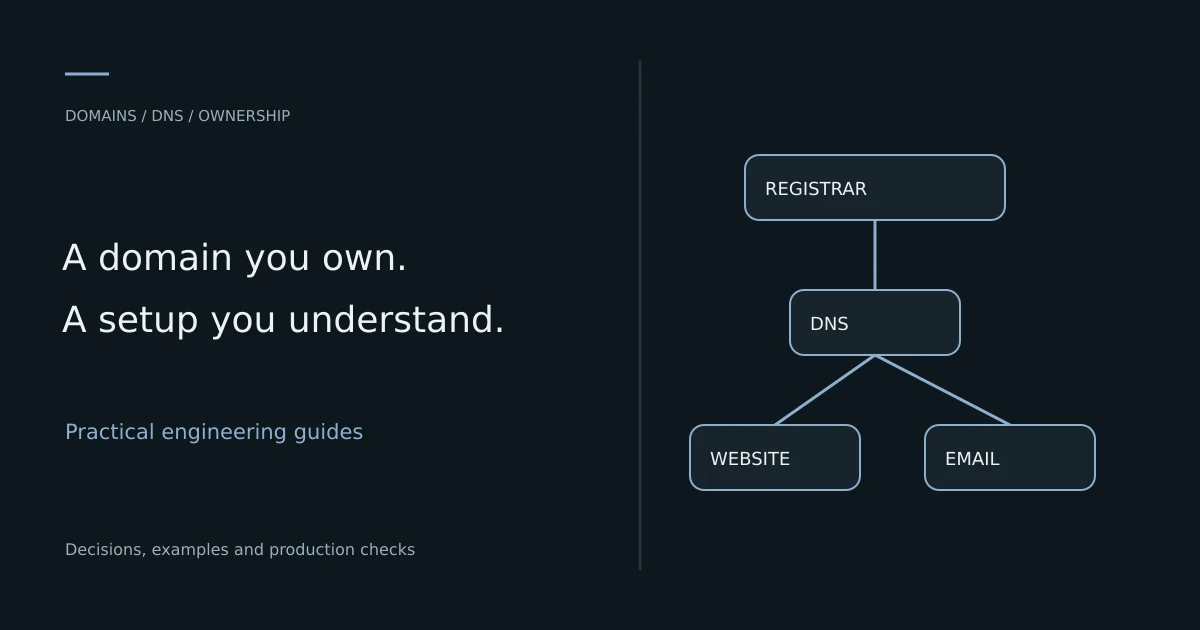
A registrar lets you register and renew eligible domain names and manage their registration details. Depending on the selected services, you may also use its DNS management, forwarding or related products. Domain registration, authoritative DNS, website hosting and email delivery are separate responsibilities even when one company sells several of them.
For a business using Hostinger, a perfectly valid arrangement is a Dynadot-registered domain pointing to a Hostinger-hosted application. You do not need to transfer registration merely to change where the website runs. Decide separately where DNS is authoritative and how mail records are maintained.
Write down the intended ownership before buying. A company domain should belong to the company or its authorized owner, with a recoverable account and a known billing contact. A contractor can have delegated operational responsibilities without becoming the only person able to renew or recover the domain.
Compare registration, renewal and transfer prices
The first-year registration price is only one part of domain cost. Compare renewal, transfer and restoration charges for the exact extension, and check whether the name is premium. A low promotional price for one extension says little about a different extension's recurring cost.
As checked on 10 November 2026, Dynadot's published .com pricing displayed US$11.62 for one-year registration, renewal and transfer. Treat that as a dated storefront observation, not a guaranteed invoice or a price for every name. Confirm currency, eligibility and any applicable charges in your actual order.
| Price item | What it covers | What to check |
|---|---|---|
| Registration | Initial registration period | Exact name, extension and premium status |
| Renewal | Keeping the registration after its term | Recurring price and selected duration |
| Transfer | Moving registration between registrars | Eligibility, price and included period |
| Restoration | Recovering an eligible expired registration | Extension-specific window and extra fee |
| Optional services | Products beyond the registration | Whether required and how they renew |
Calculate a multi-year ownership budget with the quoted prices, rather than multiplying a first-year promotion indefinitely. A cheap domain that you forget to renew can become much more expensive than a slightly higher recurring rate managed reliably.
Does Dynadot include domain privacy?
Dynadot documents free privacy for eligible extensions. Check the chosen extension because eligibility is not universal. Privacy can reduce public exposure of registration contact information; it does not eliminate the requirement to provide accurate account and registrant information.
Privacy is different from account security. It does not prevent someone with your password from changing DNS, transferring a domain or altering recovery settings. Use multifactor authentication and the appropriate lock controls as well as privacy.
Do not confuse privacy with anonymity against every lawful process or service provider. Decide what information is appropriate for the registrant record and keep it current. If a business needs its public legal identity available on its website, hiding registration contacts does not replace that website content.
Establish account security before connecting production
A domain account can control the public identity of a business. Compromised access can redirect a website, interfere with email or enable malicious certificate requests through DNS changes. Protect the registrar account with the same care as production infrastructure access.
Use a strong unique password, multifactor authentication and a recovery method the business controls. Avoid making the only recovery email depend on the domain you would need to recover. Keep recovery codes in a controlled location and remove access when an administrator leaves.
Dynadot's domain security overview describes available security features. Match account locks, transfer locks and any additional protection to your requirements. These controls address different actions, so document which one prevents which change and how authorized recovery works.
Separate domain ownership from DNS operation
The registrar records who controls registration; the authoritative nameservers determine where DNS answers come from. You can keep registration at one provider while delegating DNS elsewhere. Changing nameservers moves the DNS responsibility, not the application files or database.
Before changing delegation, inventory the entire zone. Include the website, API subdomains, MX records, SPF, DKIM, DMARC and ownership-verification records. A copied A record is not a complete migration when business email depends on several additional entries.
; Documentation-only example, not a zone to paste into production
example.com.      IN A     203.0.113.10
www.example.com.  IN CNAME example.com.
example.com.      IN MX    10 mail.example.com.
mail.example.com. IN A     203.0.113.20
The addresses above are reserved for examples. Use your actual hosting and mail provider's required values. Avoid creating a second conflicting record because a tutorial uses a convenient example hostname.
Connect a Dynadot domain to Hostinger hosting
First choose where DNS will remain authoritative. You can point the required website records to the hosting destination, or delegate the zone according to the supported hosting workflow. Preserve existing mail and verification records in either case.
Prepare the application before changing public DNS. Verify its domain configuration, canonical hostname and HTTPS requirements. If the domain already serves a website, identify the old hosting environment and decide when it will be retired after successful cutover.
After the change, inspect DNS and test the actual website. Check both the root domain and the intended subdomains, plus IPv6 if you publish an AAAA record. An incorrect IPv6 destination can create failures that are invisible in an IPv4-only test.
# Replace the example domain with one you administer

dig +short NS example.com
dig +short A example.com
dig +short AAAA example.com
dig +short MX example.com
These commands inspect records; they do not prove the complete application is healthy. Confirm public HTTPS, redirects, login and forms after the DNS result is correct. The Hostinger hosting comparison helps separate registration decisions from the hosting model.
Transfer a domain to Dynadot carefully
A registrar transfer is different from changing website hosting. Check whether a transfer is necessary at all. If the goal is simply moving an application to another server, editing the relevant DNS records may be enough.
Dynadot's transfer instructions describe eligibility checks, unlocking the domain and obtaining its authorization code. Recent registrations or transfers can be subject to a 60-day restriction. Review the exact extension and circumstances before scheduling the move.
Keep authorization codes private and verify the destination account. Plan the timing before expiry rather than treating the last day of registration as a convenient transfer date. Maintain control of the registrant email so required messages can reach the authorized owner.
Before starting, record the current nameservers and DNS operator. Confirm what remains in place during the transfer and whether any bundled DNS or email service will end. A transfer can complete while an unrelated service is accidentally left without an owner.
Prepare renewal and expiry operations
Set a renewal review well before expiry and ensure billing details remain valid. If you enable automatic renewal, monitor the outcome rather than assuming the setting guarantees payment. A card can expire, an account can be restricted or a notice can go to an unattended mailbox.
Keep an inventory containing domain, registrar, expiry date, authoritative DNS provider, billing owner and recovery contact. Do not put account passwords into the same spreadsheet. A second authorized person should know how to find the records and respond to an urgent renewal problem.
Check extension-specific grace and restoration rules in the domain price directory. Do not assume every extension has the same recovery window or price. The safest renewal plan avoids depending on a late restoration process at all.
Use DNSSEC as a coordinated change
DNSSEC protects the authenticity of DNS data when configured correctly across the authoritative provider and parent delegation. It is not a replacement for HTTPS, safe website code or account security. Treat enabling or changing it as a coordinated DNS operation.
Before changing nameservers for a signed zone, understand which provider manages the signing keys and what delegation information must change. Stale or mismatched delegation data can make validating resolvers reject the domain even when the underlying records look correct in a dashboard.
Use the current DNS operator's documentation and test with an appropriate validating tool. If the team does not understand the existing configuration, inventory it before changing delegation. Do not disable an important control casually merely to hide a broken transition; establish a verified migration sequence.
Know what domain registration does not include
A registered domain does not create a production application, protect its database or guarantee email delivery. A bundled landing page or forwarding feature may be useful but has a different role from a custom product. Evaluate related products by their actual limitations and renewal terms.
| Requirement | Domain registration alone | Additional work or service |
|---|---|---|
| Own the domain name | Registration and renewal relationship | Accurate ownership and recovery records |
| Publish a custom application | Does not deploy its code | Hosting, runtime and release process |
| Use business mailboxes | Does not create a full mail stack | Managed email or an operated mail server |
| Secure website requests | Does not fix application behavior | HTTPS, access control and software maintenance |
| Recover application data | Does not back up the database | Tested application and file backups |
For self-hosted email, start with the mail-server feasibility guide. For application infrastructure, use DevOps and deployment services to define the missing operational work instead of assuming the registrar bundle covers it.
Compare Dynadot with another registrar fairly
Use the same extension, name category, currency and ownership period. Compare recurring costs, privacy eligibility, lock controls, account recovery, DNS capabilities and transfer procedures. Avoid ranking registrars from the cheapest unrelated extension or a promotion available only to a different account type.
Include the workflow your team actually needs. An agency handling a portfolio may value bulk operations and a controlled handover process. A small business with one critical domain may care more about clear recovery and ownership than a large feature list.
Do not turn a single review score into a guarantee of support or safety. Read current terms, verify the relevant controls and keep independent operational records. If a service is business-critical, test a small non-critical setup first and document what you observed rather than repeating someone else's claimed experience.
Test the public website after a DNS change
DNS resolution, HTTPS negotiation and application behavior are different layers. Test them separately so a failure has a clear next diagnostic step. Record the time of the change and the previous values for rollback planning.
# Read the public HTTP response and redirect chain
curl -I https://example.com
curl -IL http://example.com
A redirect to the intended HTTPS hostname is useful evidence, but it does not prove a form submission or authenticated flow works. Verify those operations through the actual public hostname. Review canonical URLs so the old preview address does not become the intended indexing target.
# Inspect the certificate presented for the intended hostname
openssl s_client -connect example.com:443 \
  -servername example.com </dev/null
These are inspection examples, not commands to modify production configuration. Use the results alongside provider status and application logs. If a CDN fronts the site, distinguish its public certificate from the origin configuration so you investigate the correct layer.
Troubleshoot registration and DNS problems by layer
If the domain does not resolve, check registration status, nameserver delegation and authoritative answers. If it resolves to the wrong service, inspect the active zone rather than editing a zone at a provider whose nameservers are no longer authoritative.
If email breaks after a website move, verify MX and authentication records before changing the mail application. If HTTPS fails, compare the certificate hostname and target address. If a transfer is blocked, inspect lock status, eligibility and the authorization process instead of repeatedly submitting the same order.
Keep a short record of each change. Multiple simultaneous edits can hide which action fixed the problem and make rollback unreliable. A practical runbook lets another maintainer repeat the diagnosis without access to the original developer's memory.
Model a multi-year domain decision
A useful comparison covers the period you realistically expect to own the name. Record the first registration term, ordinary renewal and any optional services that become paid later. Keep premium-domain assumptions separate because a name classified as premium may have a different cost structure from a standard registration.
For an illustrative calculation, imagine Registrar A charges 10 units initially and 18 units for each of the next two years, while Registrar B charges 14 units each year. The three-year totals are 46 and 42 units respectively. These invented figures demonstrate why the lowest first-year price is not automatically the lower ownership cost.
Do not overstate precision when prices can change. Keep the quoted rate and date with the comparison, then review before renewal. The purpose of the worksheet is to make commitments and assumptions visible, not to guarantee what every provider will charge years into the future.
Include exit effort as a practical consideration. A business with one straightforward domain can transfer differently from an agency with a portfolio, external DNS and several email dependencies. A clear inventory and recoverable account can be worth more than a small first-year saving.
Hand over a domain without losing operational ownership
When an agency registers or manages a name for a client, document who owns registration, who pays renewal and who can change DNS. The client should know which account holds the domain and how authorized access will be transferred or revoked at the end of the engagement.
Separate a domain handover from website delivery. Give the client the registration and DNS inventory, expiry information and the list of related services. Transfer credentials through an appropriate secure process rather than placing a password in a project report. Check that recovery contacts no longer depend solely on the departing contractor.
For a portfolio, verify access scope and any automation before changing the account arrangement. A shared API credential or delegated DNS account can affect several clients at once. Review those dependencies and test the intended website and mail records after the handover.
Finish with an acceptance record: the authorized owner can access the account, identify the renewal and recover the service through the documented route. That evidence makes domain ownership real in practice rather than merely a sentence in the delivery agreement.
Business-domain readiness checklist and next steps
- Verify registrar accreditation and the exact service being purchased.
- Compare registration, renewal, transfer and restoration for the chosen extension.
- Confirm privacy eligibility without treating it as account protection.
- Keep ownership, recovery and billing under business control.
- Inventory DNS, mail and verification records before changing nameservers.
- Coordinate DNSSEC and delegation changes deliberately.
- Test public DNS, HTTPS and customer workflows after cutover.
- Record renewal ownership and a practical exit procedure.
Dynadot can be assessed as a registrar independently from the hosting platform you select. Make registration ownership clear, connect DNS deliberately and keep the application operating plan separate. SoftwareCrafting's web development service can help connect the domain to a functioning website and a documented handover. Discuss your domain and deployment setup with the current registrar, DNS provider and hosting destination.
Frequently Asked Questions
Is Dynadot safe or legitimate?
IANA lists Dynadot Inc as an accredited registrar, ID 472. Accreditation verifies its registrar status. Your account still needs security, accurate ownership information and a reliable renewal process.
What is Dynadot used for?
It is used for domain registration, renewal, transfers and associated domain-management functions. Check any related product separately; registering a name does not automatically deploy a custom website or email server.
Is Dynadot privacy free?
Dynadot documents free privacy for eligible extensions. Verify the chosen extension's rules. Privacy reduces public contact exposure but does not replace multifactor authentication or account locks.
Can I use a Dynadot domain with Hostinger?
Yes. Domain registration and hosting can be operated separately. Configure the intended DNS records or delegation while preserving mail and verification entries, then test the public application.
Does a domain transfer move my website and email?
Not automatically. Registration transfer, application migration and email migration are separate operations. Inventory each dependency and confirm what remains active before changing providers.